The best wireless mice balance connection options, shape, controls, and battery needs for the way you work or play. This roundup ranges from compact travel models to gaming and ergonomic designs, so compare each mouse’s fit and features before choosing.
Quick Top Products
Contour Unimouse Wireless
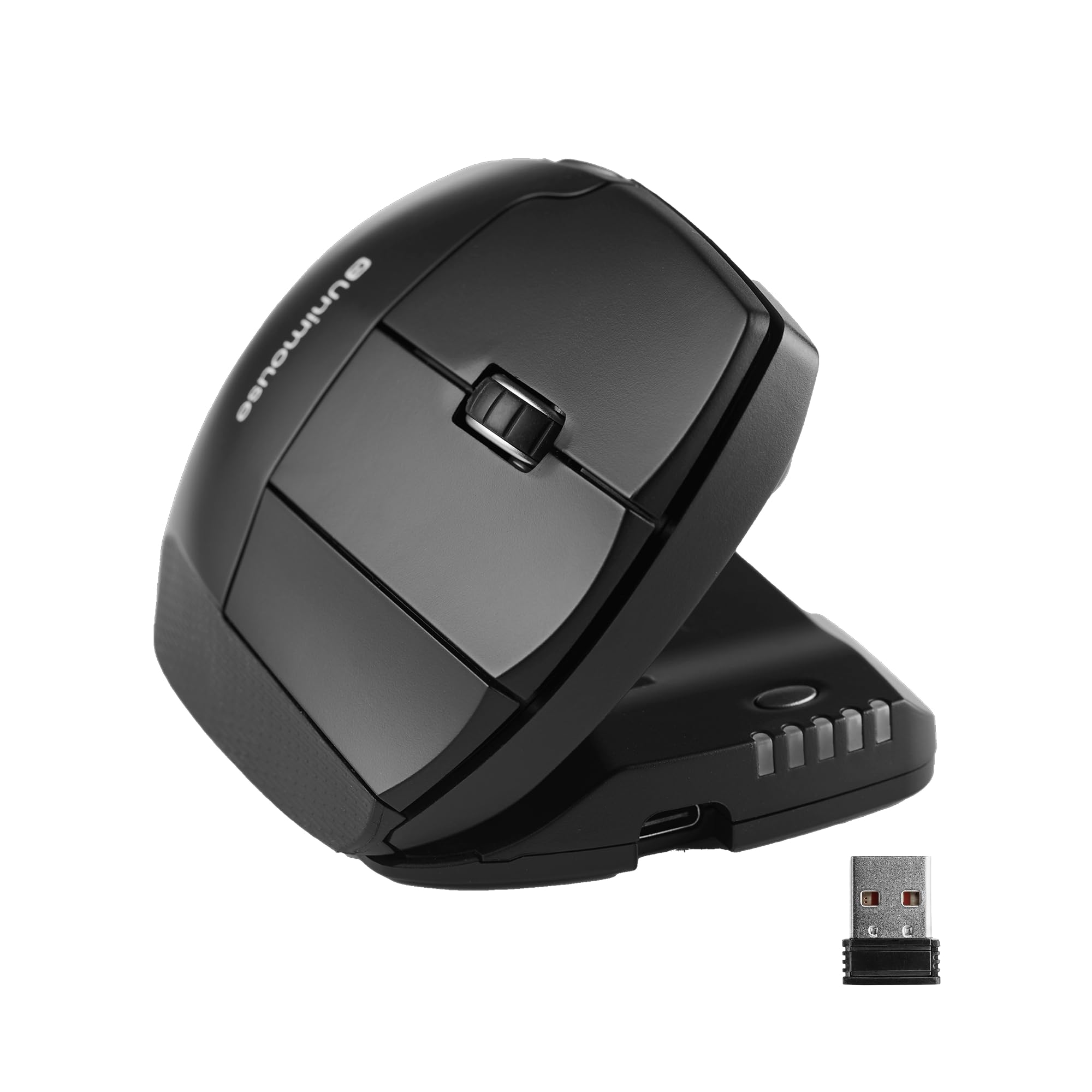
- Adjust the tilt from 35° to 70° and reposition the thumb support.
- Customize six buttons for frequently used tasks.
- Rechargeable battery lasts up to 12 weeks per charge.
Best For: Right-handed users who want to adjust mouse tilt and thumb support throughout the day.

JLab Epic Wireless Mouse
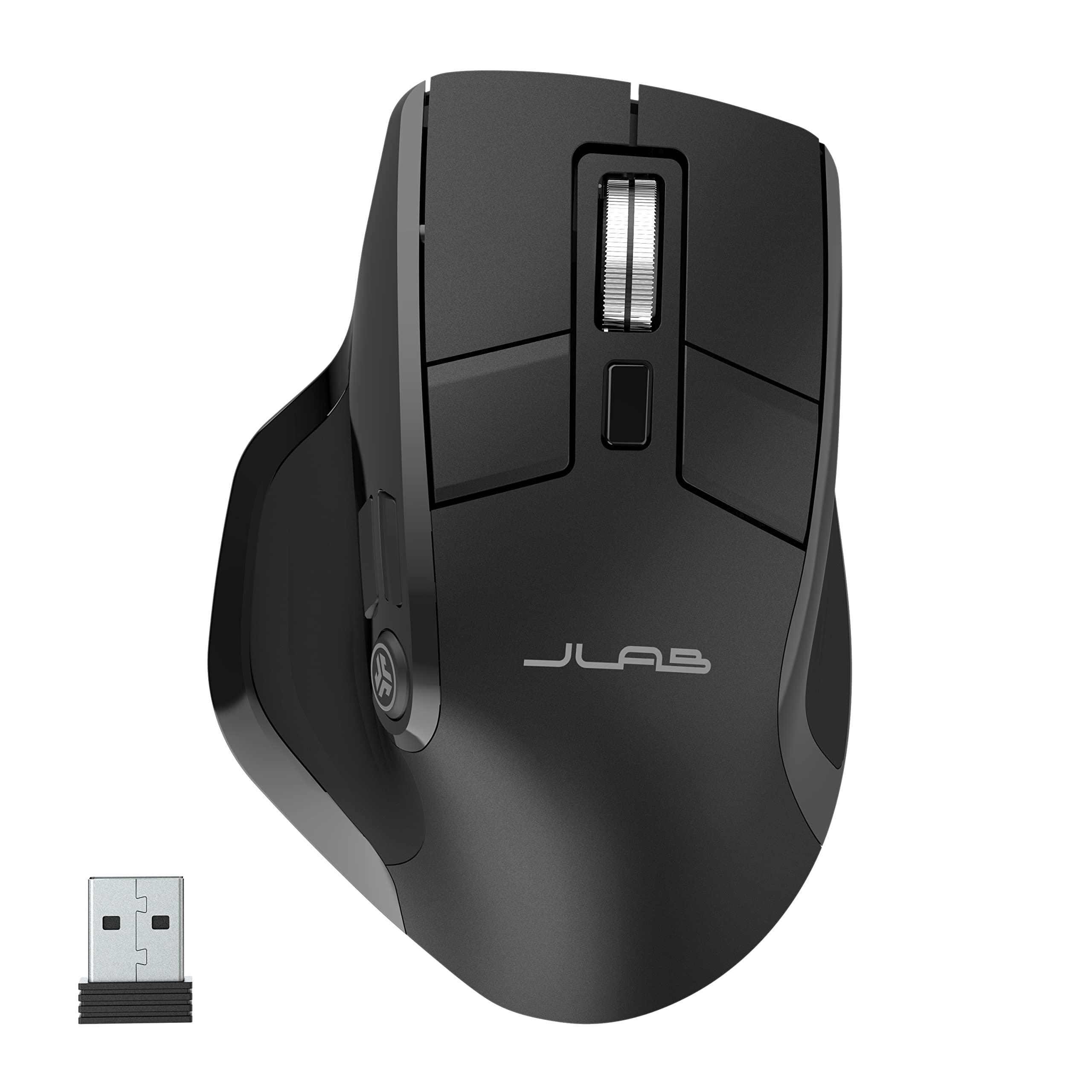
- OLED screen shows current DPI and battery level.
- Connect and toggle among up to three devices.
- Save up to three button profiles in the JLab Work app.
Best For: People who switch among several devices and want battery and DPI information visible on the mouse.
JLab JBuds Wireless Mouse
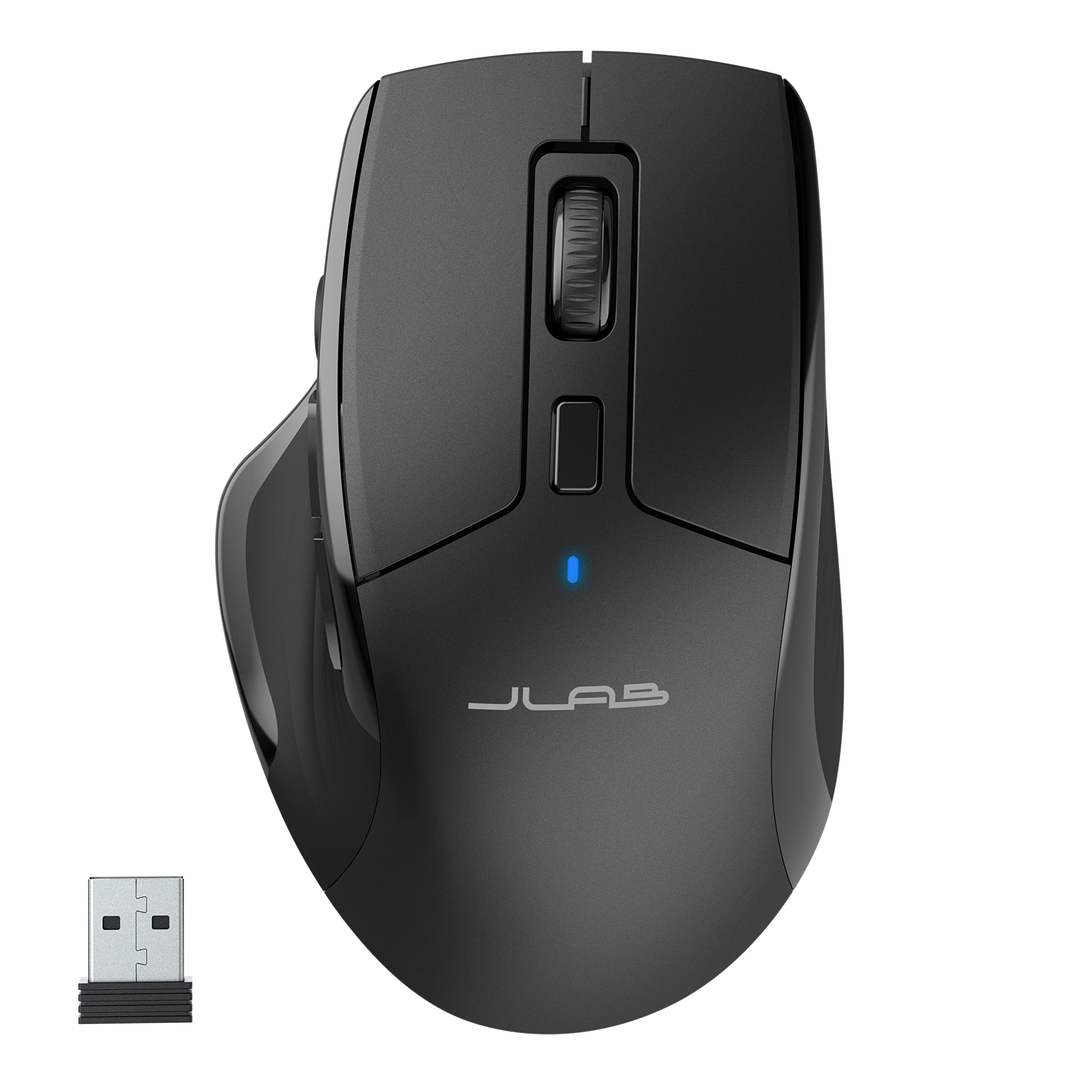
- Pair with up to three devices using Bluetooth 5.2 or a USB dongle.
- Seven programmable buttons can be remapped in the JLab Work app.
- Silent clicks reduce noise in shared spaces or calls.
Best For: Desk workers who want a full-size mouse with silent clicks and programmable controls for several devices.
JLab GO Charge Wireless Mouse
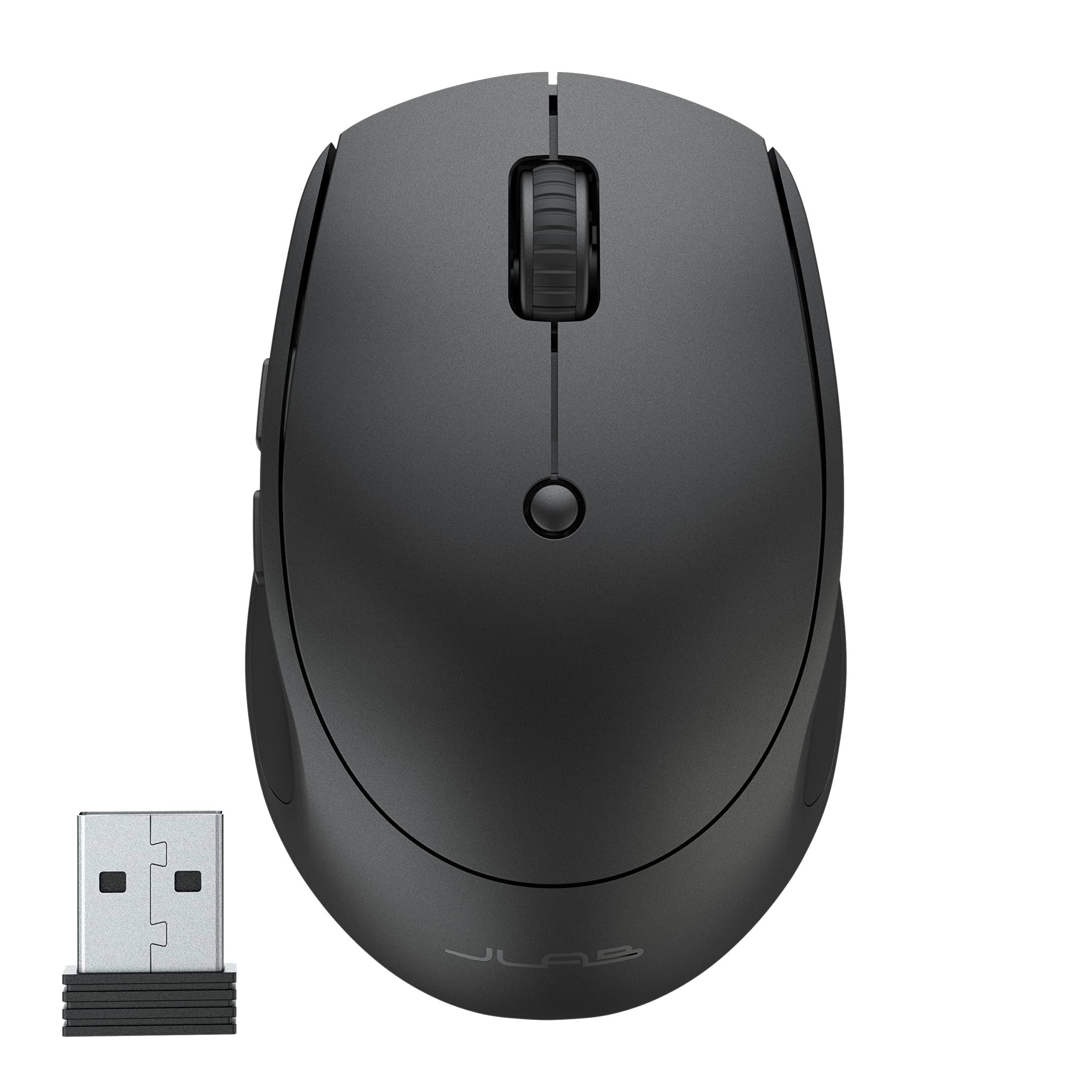
- Compact, lightweight design is made to slip into a bag.
- Connect to three devices over Bluetooth 5 or a USB dongle.
- Battery is rated to last 4+ months per charge.
Best For: Travelers and mobile workers who want a small rechargeable mouse with Bluetooth and dongle connections.
ESR MagMouse
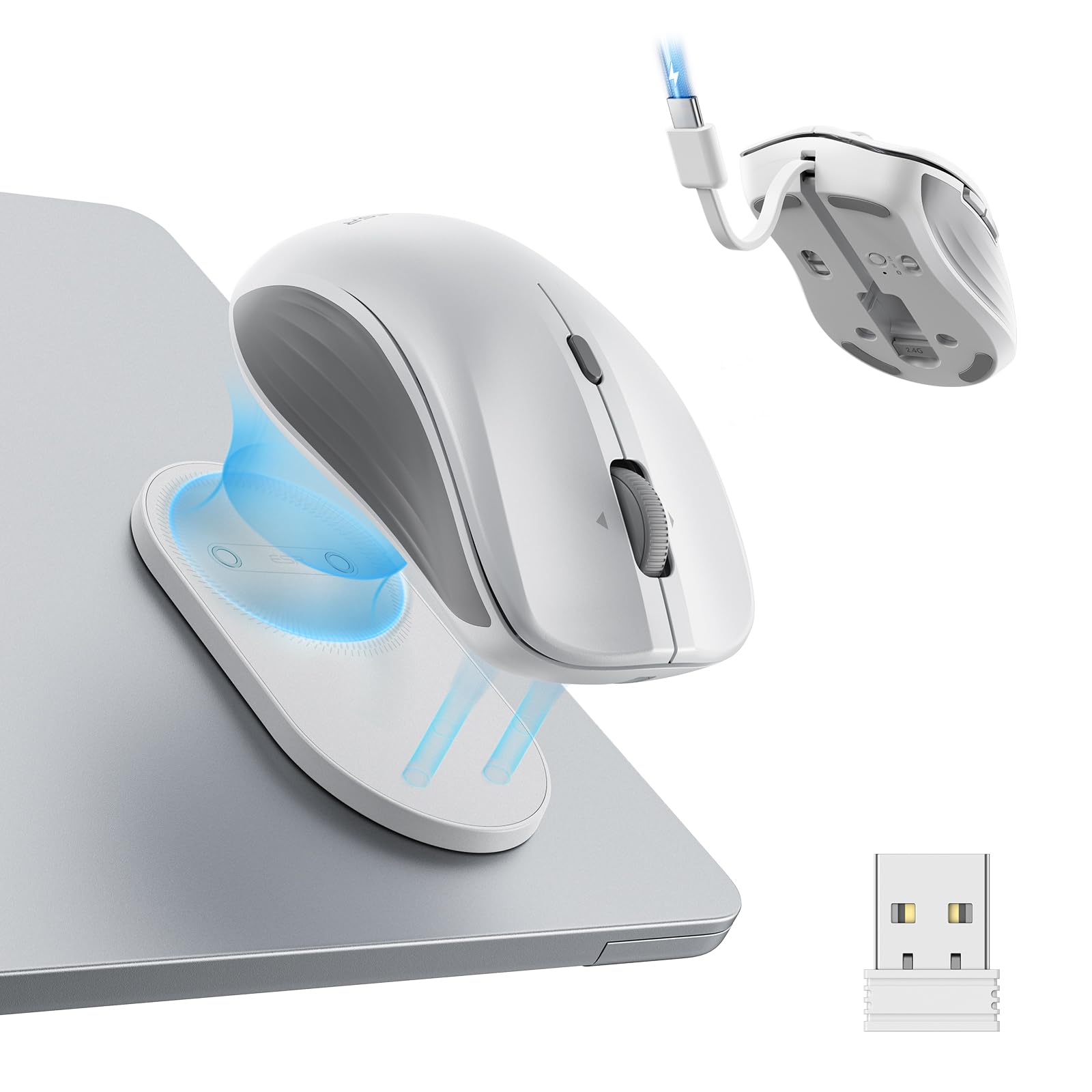
- Magnetic base snaps onto a holder attached with reusable adhesive.
- Built-in USB-C cable handles charging.
- Four-way scrolling includes side-tilt movement.
Best For: Laptop users who want a portable mouse that attaches to a holder and carries its own charging cable.
SABRENT Mini Travel Mouse
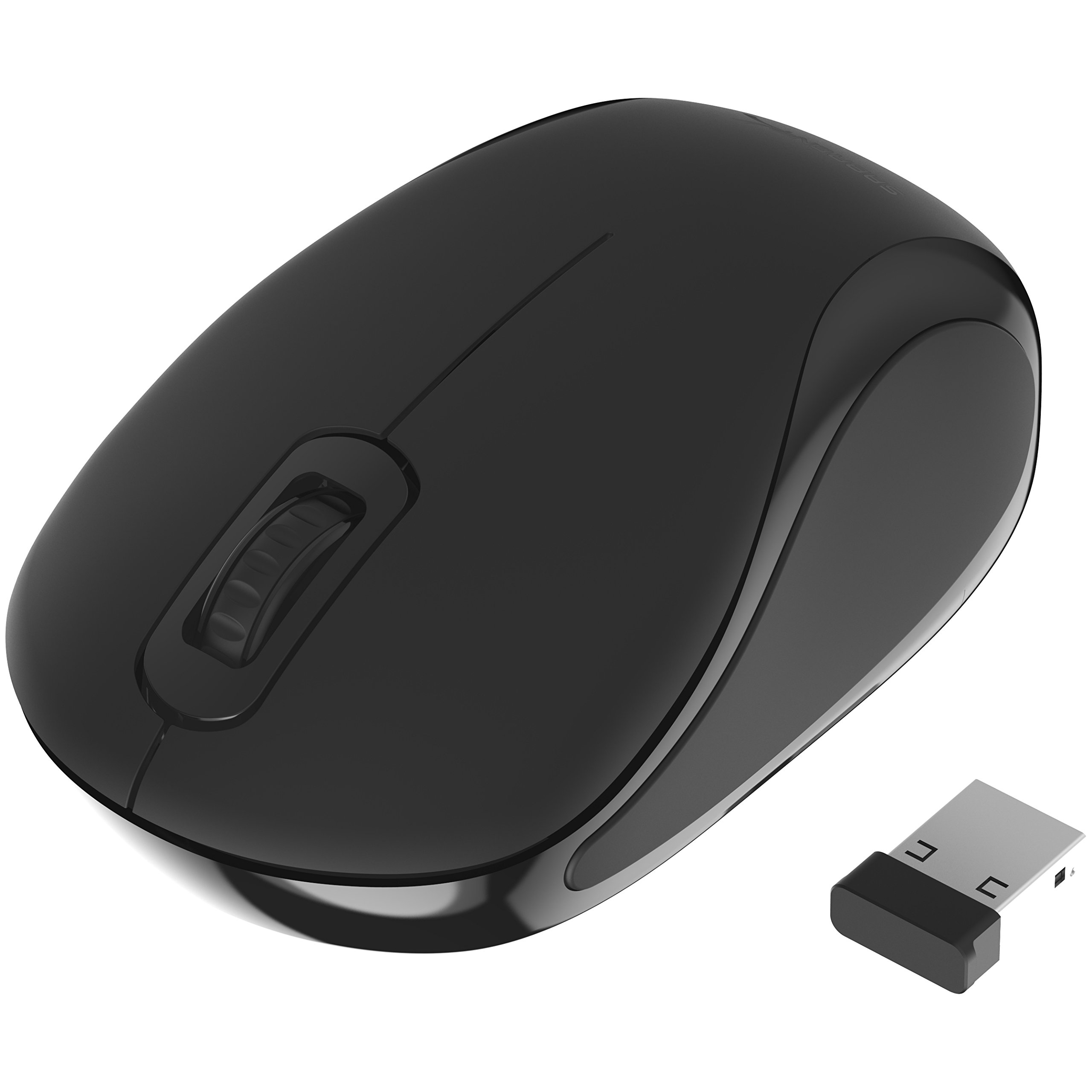
- Ultra-portable design suits travel.
- 1200 dpi optical tracking supports cursor control and text selection.
- Ambidextrous shape and three buttons keep controls simple.
Best For: Travelers who want a small, ambidextrous mouse with a USB receiver and straightforward controls.
SABRENT Rechargeable Wireless Mouse
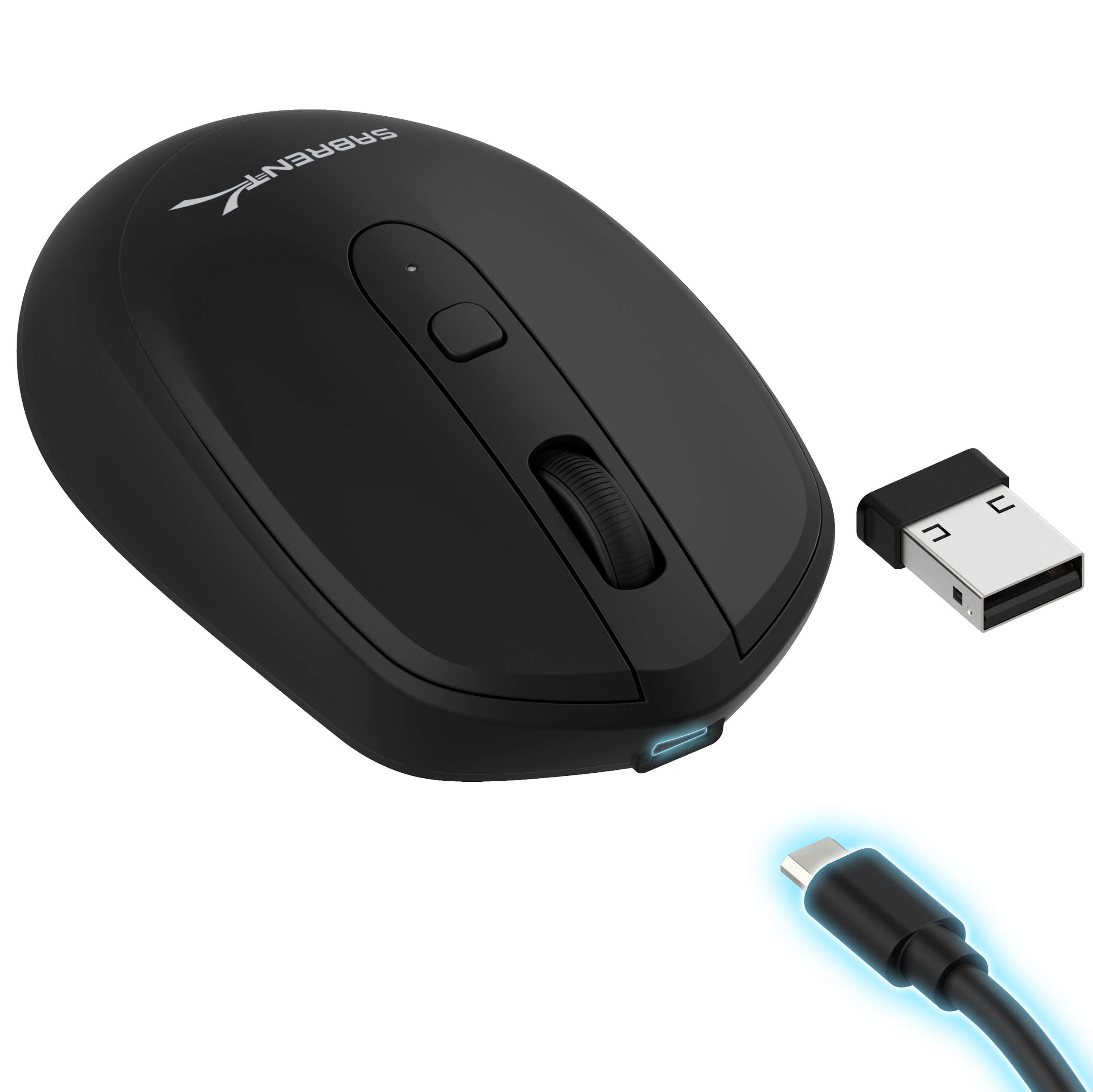
- Choose among 800, 1200, and 1600 DPI settings.
- The mouse has a rechargeable 600 mAh lithium battery.
- Uses long-range 2.4 GHz wireless transmission.
Best For: Buyers seeking a basic rechargeable mouse with adjustable tracking and a 2.4 GHz connection.
SteelSeries Aerox 3 Wireless

- Lightweight 68 g design uses a perforated shell.
- 2.4 GHz and Bluetooth 5.0 provide two connection modes.
- Three-zone RGB lighting supports configurable colors.
Best For: Players seeking a lightweight wireless gaming mouse with Bluetooth and customizable RGB lighting.
SteelSeries Aerox 5 Wireless
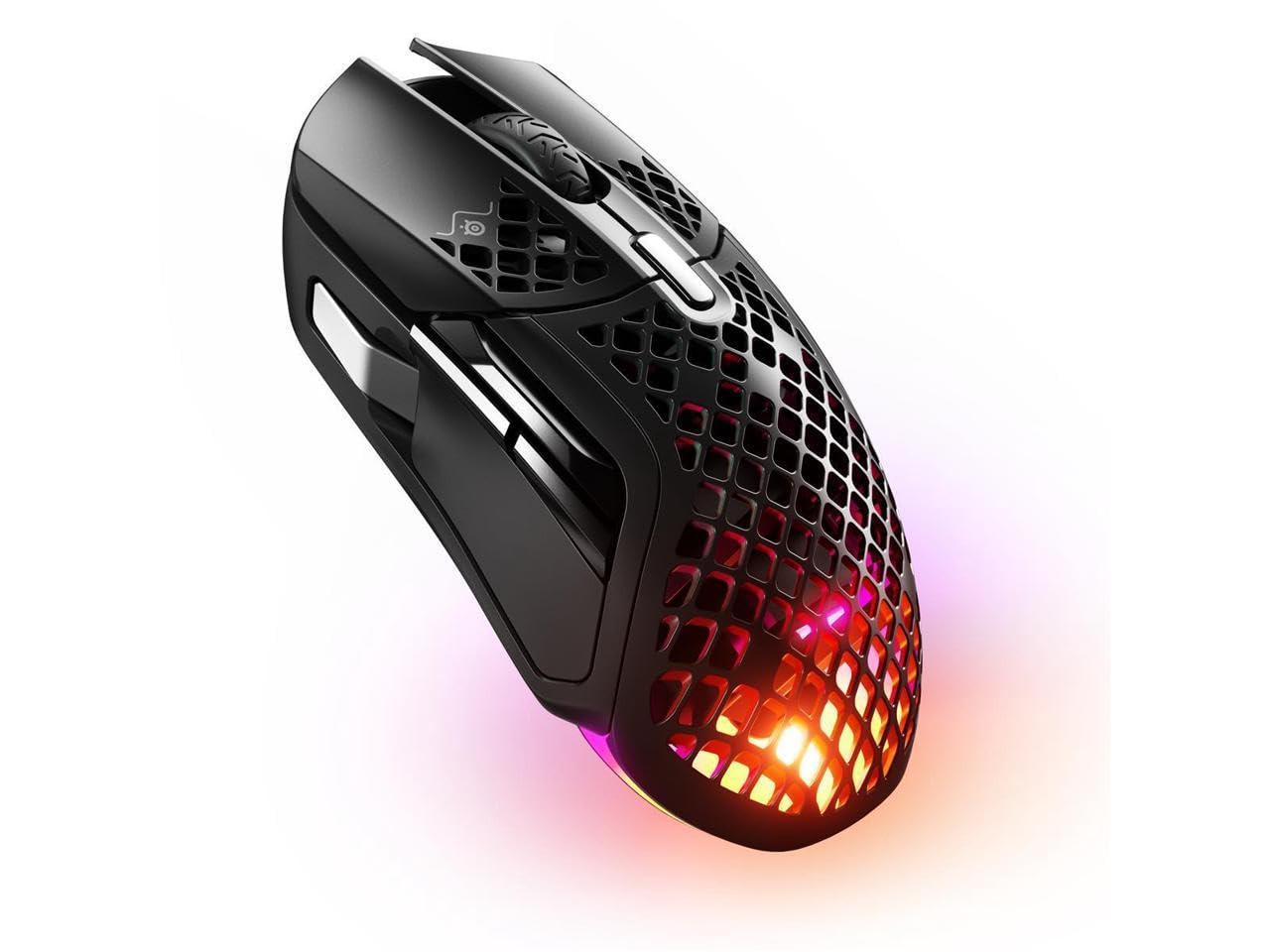
- Nine programmable buttons include a side panel and flick switch.
- The 74 g shell is designed to be lightweight.
- Includes 9 programmable buttons with a side panel and an up/down flick switch.
Best For: Players who want programmable side controls, dual wireless, and a lightweight gaming mouse.
SteelSeries Aerox 9 Wireless
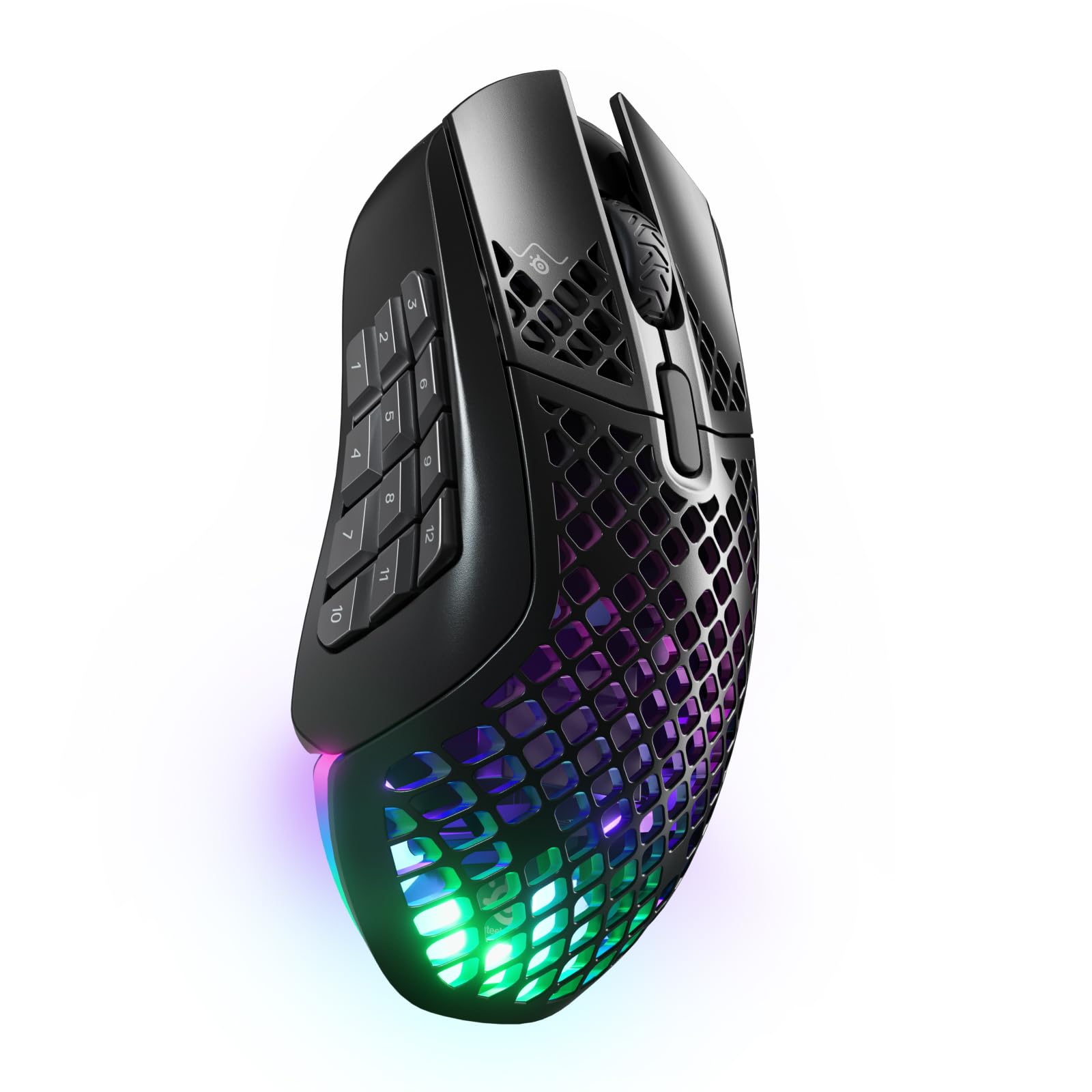
- Eighteen programmable buttons include a 12-button side panel.
- Wireless connections include 2.4 GHz and Bluetooth 5.0.
- IP54-rated AquaBarrier shields against splashes, dust, and dirt.
Best For: Players who want many programmable controls and dual wireless modes for games with frequent commands.
Most Adjustable Ergonomic Fit
Contour Unimouse Ergonomic Vertical Mouse Adjustable 35°-70° Tilt Angle, 6 Programmable Buttons for Productivity, Customizable Thumb Rest for Wrist Pain Relief | Plug & Play Mac/PC - Wireless - Right
The Contour Unimouse gives right-handed users unusual control over how a wireless mouse fits. Its tilt adjusts from 35° to 70°, and the thumb support slides and rotates in several directions.
That makes it a flexible option for people who have struggled to settle into one fixed vertical angle. Six programmable buttons and a scroll wheel suit work that involves repeated commands, while the rechargeable battery lasts up to 12 weeks per charge.
It connects through a USB receiver and works with Windows and macOS. Its shape is designed for right-handed use, so left-handed buyers should look elsewhere.
Best For: Right-handed users who want to adjust mouse tilt and thumb support throughout the day.
| Pros | Cons |
|---|---|
|
|
Choose the Unimouse if adjusting the angle and thumb position matters more than having a compact, conventional shape. The 35°–70° tilt range and movable thumb support set it apart from the fixed-angle designs in this roundup, and its six programmable buttons suit repetitive desktop tasks.
Its right-handed design rules it out for left-handed users. Check that your computer can use its USB receiver, and consider whether the adjustable vertical grip feels natural for your work before committing.
OLED Status for Multi-Device Work
JLab, Epic, Wireless Mouse, Bluetooth, Multi-Device, OLED Display, Full-Size
The JLab Epic combines a full-size ergonomic shape with an OLED display that shows battery level and current DPI. Bluetooth 5.2 and a USB wireless dongle provide connection choices, and it can toggle among up to three paired devices.
The JLab Work app saves up to three custom button profiles, which can help when tasks or connected computers call for different controls. Silent clicks are suited to shared or quiet work areas.
The rechargeable battery is rated at 800 mAh, though the record does not give a runtime per charge. Choose it for its on-device status and configurable workflow rather than a stated battery interval.
Best For: People who switch among several devices and want battery and DPI information visible on the mouse.
| Pros | Cons |
|---|---|
|
|
Pick the Epic if you regularly switch between computers and want to see battery and DPI status without opening software. Its three-device switching and three saved profiles offer more workflow customization than a basic wireless mouse, while the full-size ergonomic shape is intended for longer work sessions.
Battery capacity is given as 800 mAh, but runtime per charge is not, so buyers who prioritize long intervals between charges should verify that detail. Also check that the mouse’s full-size shape suits your desk and grip.
Quiet Full-Size Multi-Device Controls
JLab, JBuds, Wireless Mouse, Bluetooth, USB Dongle, Multi-Device, Silent Click, Full-Size, Black
The JLab JBuds is a full-size rechargeable mouse built around multi-device office use. It connects over Bluetooth 5.2 or a USB wireless dongle and toggles among up to three devices.
Seven programmable buttons and three saved profiles offer more control than a basic two-button design, with customization through the JLab Work app. Silent click buttons reduce noise in shared workspaces or during calls.
Compatibility includes Windows, iOS, Mac, Android, and Chrome OS. The record does not state battery runtime, so buyers who need a predictable charging interval should check that before purchase.
This is a desktop-oriented choice rather than a compact travel mouse.
Best For: Desk workers who want a full-size mouse with silent clicks and programmable controls for several devices.
| Pros | Cons |
|---|---|
|
|
Choose the JBuds if you want a full-size work mouse with quiet clicks and shortcut controls across several devices. Its seven programmable buttons and three app profiles provide more customization than the simpler travel and gaming models here.
The main buying detail to resolve is battery life: the supplied product facts identify it as rechargeable but give no runtime. Confirm that the JLab Work app and your preferred connection method suit your devices, especially if you plan to use the mouse across different operating systems.
Compact Mouse with Long Stated Battery Life
JLab, GO Charge, Wireless Mouse, Bluetooth, USB Dongle, Multi-Device, Compact, Rechargeable, Black
The JLab GO Charge is an ultra-compact wireless mouse aimed at portable work. It pairs with up to three devices through Bluetooth 5 or a USB wireless dongle, then lets you switch between them.
The mouse has adjustable DPI tracking and silent click buttons, with compatibility spanning Windows, Mac/iOS, Android, and Chrome OS. JLab gives a battery-life figure of 4+ months per charge, which makes it a compelling option for people who dislike frequent charging.
Its small form is easy to pack, though anyone who prefers a larger palm-filling shape may find a full-size model more suitable for long desk sessions.
Best For: Travelers and mobile workers who want a small rechargeable mouse with Bluetooth and dongle connections.
| Pros | Cons |
|---|---|
|
|
The GO Charge is a practical fit for people who carry a mouse between locations and value long stated time between charges. Its multi-device toggle and silent buttons also make it useful for a mobile work setup that includes several computers.
The tradeoff is its ultra-compact shape; buyers who prefer a larger mouse should consider the full-size JLab options instead. Check which connection you plan to use and whether your devices support Bluetooth 5 or the included USB wireless dongle.
Travel Setup with Built-In Charging Cable
ESR MagMouse Snap-to-Carry Bluetooth Mouse, Wireless Mouse for Laptop | Rechargeable Mouse with Built-in Charging Cable, Reusable Adhesive Holder, BT 5.0 + 2.4 GHz Connectivity, Ergonomic, White
The ESR MagMouse is designed to travel with a laptop. Its magnetic base snaps onto a holder, which attaches with reusable residue-free adhesive, and the mouse includes a built-in USB-C charging cable.
It connects through Bluetooth 5.0 or a 2.4 GHz dongle. Six DPI settings cover different cursor-speed preferences, while the four-way scroll wheel handles both vertical and side-to-side movement across spreadsheets or wide images.
The battery is rated for up to 160 hours after a 45-minute full charge, with a stated four hours of use from a one-minute charge. Check that the adhesive holder suits the surface where you plan to carry it.
Best For: Laptop users who want a portable mouse that attaches to a holder and carries its own charging cable.
| Pros | Cons |
|---|---|
|
|
Choose the MagMouse if keeping a laptop mouse and its charging cable together is useful for your travel routine. The attachable holder, Bluetooth and dongle options, four-way wheel, and six DPI levels serve distinct portable-work needs.
Its adhesive holder requires a suitable surface, so consider where it will attach and whether you want to keep it there. The stated battery figures are useful for planning, but they are not a substitute for checking whether your preferred connection and scroll controls fit your daily tasks.
Simple Compact Travel Mouse
SABRENT Mini Travel 2.4GHz Wireless Mouse with Nano Receiver (MS-WSML)
The SABRENT Mini Travel mouse keeps the feature set simple: a compact design, three buttons, optical tracking, and a 2.4 GHz connection through its nano receiver. Its 1200 dpi sensitivity is suited to ordinary cursor movement and text selection, and it works with Windows and Mac OS X.
The mouse is ambidextrous, which makes it an option for either hand, and weighs 2 ounces. It requires one AAA battery, so buyers will need to supply or replace that cell rather than recharge the mouse.
It makes sense as a basic travel companion when small size and simple setup matter more than multi-device switching or advanced controls.
Best For: Travelers who want a small, ambidextrous mouse with a USB receiver and straightforward controls.
| Pros | Cons |
|---|---|
|
|
The Mini Travel is a straightforward pick for a bag or laptop kit when you want basic wireless pointer control without extra setup features. Its nano receiver and ambidextrous shape distinguish it from the multi-device rechargeable mice, while three buttons keep the controls uncomplicated.
The tradeoff is reliance on a replaceable AAA battery and a single 2.4 GHz connection method. Check that your computer can use the USB receiver and that a compact mouse fits your hand for the length of your usual work sessions.
Rechargeable Mouse with Adjustable DPI
SABRENT 2.4GHz Rechargeable Wireless Mouse with Adjustable Resolution (MS-RCWM)
The SABRENT rechargeable wireless mouse offers a conventional three-button layout with a DPI toggle for changing cursor sensitivity. Its settings are 800, 1200, and 1600 DPI, which provide a few distinct speed choices for everyday navigation.
A 600 mAh lithium battery powers it, and the mouse uses long-range 2.4 GHz wireless transmission with fast charging. The available facts do not give a runtime per charge or describe its shape and dimensions, so buyers should check those details if battery interval or hand fit is a priority.
It is best suited to someone who wants rechargeable basics without needing Bluetooth or multi-device controls.
Best For: Buyers seeking a basic rechargeable mouse with adjustable tracking and a 2.4 GHz connection.
| Pros | Cons |
|---|---|
|
|
Consider this SABRENT if you want a simple rechargeable wireless mouse and do not need Bluetooth, programmable shortcuts, or a device toggle. Its three DPI settings let you change cursor speed, and the built-in 600 mAh battery can be recharged.
Battery runtime, size, and hand orientation are not specified, so resolve those details if you expect long sessions or need a particular fit. The 2.4 GHz connection also means you should confirm that your computer can use its receiver.
Lightweight Gaming with Bluetooth
SteelSeries Aerox 3 Wireless - Holey RGB Gaming Mouse - Ultra-lightweight Water Resistant Design - 18K DPI TrueMove Air Optical Sensor -Snow
The Aerox 3 Wireless pairs a 68 g shell with a TrueMove Air optical sensor and two wireless modes: 2.4 GHz for gaming and Bluetooth 5.0 for other devices. Its perforated design is rated IP54 for resistance to water splashes, dust, and dirt.
The mouse includes three-zone customizable RGB lighting and golden micro switches. SteelSeries gives it up to 200 hours of battery life.
These features make it a flexible gaming-oriented option that can also connect to non-gaming devices over Bluetooth. Buyers should note the supplied title identifies the Snow color and Gen 1 model, and should check whether its gaming button layout fits their preferred controls.
Best For: Players seeking a lightweight wireless gaming mouse with Bluetooth and customizable RGB lighting.
| Pros | Cons |
|---|---|
|
|
Choose the Aerox 3 if you want a relatively light gaming-focused mouse that can also connect over Bluetooth. Its 68 g shell, IP54-rated barrier, and stated battery life distinguish it from the other wireless gaming options here, while three-zone RGB adds customization.
The available facts do not specify its programmable button count, so check the control layout if shortcut access is central to your games or work. This offer is the Snow, Gen 1 model; confirm that the color and generation match what you intend to buy.
Extra Controls in a Lightweight Gaming Design
SteelSeries Aerox 5 Wireless - Holey RGB Gaming Mouse - Ultra-lightweight Water Resistant Design - 9 Buttons – Bluetooth/2.4 GHz - 18K DPI TrueMove Air Optical Sensor
The Aerox 5 Wireless combines a 74 g perforated shell with nine programmable buttons, including a side panel and an up/down flick switch. Its TrueMove Air sensor is rated at 18K DPI, while Quantum 2.0 wireless provides 2.4 GHz and Bluetooth 5.0 connections.
The battery is rated for up to 180 hours. The IP54-rated AquaBarrier is designed to shield the interior from water splashes, dust, and dirt.
This layout offers more shortcut access than a simpler gaming mouse, but buyers should consider whether they will use the additional buttons and whether the shape fits their grip. Its feature set centers on gaming control rather than quiet office use.
Best For: Players who want programmable side controls, dual wireless, and a lightweight gaming mouse.
| Pros | Cons |
|---|---|
|
|
The Aerox 5 suits players who want more physical shortcuts than a basic gaming mouse provides. Its nine programmable buttons, side panel, and flick switch give a distinct control layout, while the 74 g shell and dual wireless connections keep it versatile.
Consider whether those extra controls match the games you play; they may be unnecessary if you prefer a minimal design. Hand orientation and dimensions are not specified here, so check those fit details before buying.
Gaming Mouse with 18 Programmable Buttons
SteelSeries Aerox 9 Wireless - Holey RGB Gaming Mouse - Ultra-lightweight Water Resistant Design - 18 Buttons – Bluetooth/2.4 GHz - 18K DPI TrueMove Air Optical Sensor
The Aerox 9 is the most button-heavy gaming mouse in this selection, with 18 programmable buttons and a 12-button side panel. Its 89 g perforated shell includes an IP54-rated AquaBarrier for water-splash, dust, and dirt protection.
The TrueMove Air sensor and Quantum 2.0 wireless support gaming over 2.4 GHz, while Bluetooth 5.0 provides another connection option. SteelSeries rates battery life at up to 180 hours.
This layout makes sense when many commands or shortcuts need dedicated access. It is a specialized choice, and buyers should decide whether they will use the side panel before choosing it over a simpler design.
Best For: Players who want many programmable controls and dual wireless modes for games with frequent commands.
| Pros | Cons |
|---|---|
|
|
Pick the Aerox 9 if a large number of programmable controls is central to your gaming setup. Its 18 buttons and 12-button side panel make it the most command-oriented option here, and it retains dual wireless modes and an IP54-rated barrier.
That control density may be excessive for people who use only a few shortcuts. Its 89 g weight is also a consideration for buyers comparing lightweight gaming designs, so decide whether the side panel's access is worth the additional mass for your preferred play style.
How to Choose Wireless Mice
How We Picked Wireless Mice
This selection covers several practical reasons to choose a wireless mouse: gaming controls and tracking, adjustable ergonomic shapes, multi-device office work, and compact travel. Each included product has a clear fit within one of those needs, with connection type, buttons, shape, battery details, and portability considered where the records provide them.
A wireless mouse may connect through Bluetooth, a USB receiver, or both. Check what your computer supports and how many devices you want to pair.
For gaming, the SteelSeries models offer 2.4 GHz connections alongside Bluetooth on several Aerox designs; desk users may value device switching, while travelers may prefer a compact body or a built-in charging cable.
Comparing Wireless Mice for Work and Gaming
The biggest differences are control layout and shape. The Aerox 9 has 18 programmable buttons and a 12-button side panel, while the Aerox 5 has nine and the Aerox 3 is a lighter, simpler gaming-oriented option.
The Contour Unimouse takes a different route with adjustable tilt and a movable thumb support. JLab’s full-size Epic and JBuds emphasize multi-device pairing, profiles, and office controls.
Battery information varies. Several models give an hours-based estimate, while the JLab Epic and JBuds facts do not state a runtime per charge.
Rechargeable mice avoid routine disposable battery replacement, while the SABRENT Mini uses one AAA battery. Treat quoted runtime as a product rating, and consider whether changing batteries or charging over USB fits your habits.
| Product | Standout features | Best for |
|---|---|---|
| Contour Unimouse WirelessCheck Price |
| Right-handed users who want to adjust mouse tilt and thumb support throughout the day. |
| JLab Epic Wireless MouseCheck Price |
| People who switch among several devices and want battery and DPI information visible on the mouse. |
| JLab JBuds Wireless MouseCheck Price |
| Desk workers who want a full-size mouse with silent clicks and programmable controls for several devices. |
| JLab GO Charge Wireless MouseCheck Price |
| Travelers and mobile workers who want a small rechargeable mouse with Bluetooth and dongle connections. |
| ESR MagMouseCheck Price |
| Laptop users who want a portable mouse that attaches to a holder and carries its own charging cable. |
| SABRENT Mini Travel MouseCheck Price |
| Travelers who want a small, ambidextrous mouse with a USB receiver and straightforward controls. |
| SABRENT Rechargeable Wireless MouseCheck Price |
| Buyers seeking a basic rechargeable mouse with adjustable tracking and a 2.4 GHz connection. |
| SteelSeries Aerox 3 WirelessCheck Price |
| Players seeking a lightweight wireless gaming mouse with Bluetooth and customizable RGB lighting. |
| SteelSeries Aerox 5 WirelessCheck Price |
| Players who want programmable side controls, dual wireless, and a lightweight gaming mouse. |
| SteelSeries Aerox 9 WirelessCheck Price |
| Players who want many programmable controls and dual wireless modes for games with frequent commands. |
Choosing a Wireless Mouse for Travel or a Shared Desk
For travel, compare physical size and how the mouse packs. The JLab GO Charge is ultra-compact, the SABRENT Mini has a nano receiver, and the ESR MagMouse attaches to a holder and includes a USB-C charging cable.
Confirm whether you want a receiver occupying a USB port or prefer Bluetooth. Also check the holder’s reusable adhesive surface if you plan to keep it attached to a laptop or case.
For quiet or shared desks, the JLab Epic and JBuds include silent-click buttons. If you move between computers, their up-to-three-device switching can reduce reconnecting; the Epic also displays DPI and battery status.
Adjustable tracking helps tailor pointer speed, while programmable buttons are useful only when the added controls fit your regular tasks.
Who Should Buy Which Wireless Mouse
Choose the Unimouse if adjustable tilt and thumb support are your priorities and you use your right hand. For a compact everyday carry, compare the GO Charge, Mini Travel, and MagMouse by charging approach and connection style.
The MagMouse adds a holder and four-way scrolling, while the SABRENT Mini keeps to basic three-button control.
For gaming, pick among SteelSeries designs by the controls you will use: the Aerox 3 for a lightweight dual-connection option, the Aerox 5 for additional programmable buttons, or the Aerox 9 for its 12-button side panel. For multi-device desk work, compare the JLab Epic and JBuds by display, button count, quiet clicks, and the battery details you need to confirm.
Check model, operating-system compatibility, and connection method before purchase.