The EUREKA ERGONOMIC Computer Tower Stand review is for desktop owners looking to move a PC case off the floor and reclaim space around the desk.
Its adjustable cradle and full swivel make it appealing when access and positioning matter as much as keeping the tower tucked away.
EUREKA Tower Stand Review Summary
The quick verdict
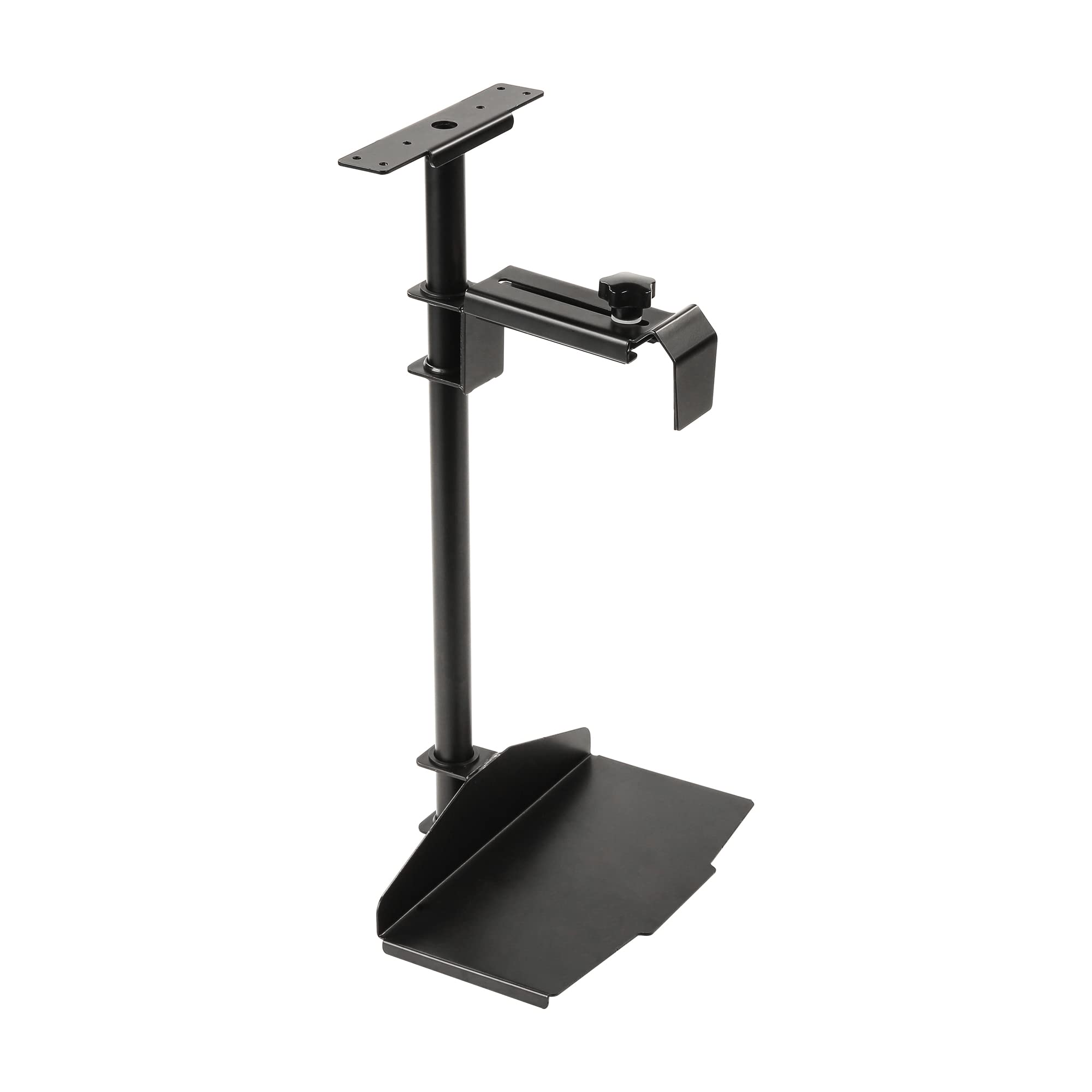
500+ ratings
Read Amazon ReviewsEUREKA ERGONOMIC Computer Tower Stand
A useful under-desk option for desktop owners who want adjustable support, swivel access, and more floor space around their workstation.
- Mounts a computer tower beneath a desk to free floor space.
- Adjusts to fit cases from 6.3 to 10.2 inches wide and from 0 to 20.5 inches high.
- Supports a tower weighing up to 44 pounds.
- Swivels 360 degrees for access to rear ports and power cords.

Pros
- Adjustable width and height offer room to fit different tower dimensions within the stated range.
- The swivel design makes it easier to turn the case toward you when working with rear connections.
Consider before buying
- Installation requires driving six screws into the underside of the desktop, so check the desk material, thickness, clearance, and underside structure before committing.
- The fit is limited by the stated width, height, and weight maximums; measure the complete case and confirm its weight first.
Read the full review summary
This under-desk mount suspends a computer tower and adjusts to fit cases 6.3 to 10.2 inches wide and up to 20.5 inches high.
It supports up to 44 pounds, and its 360-degree swivel is designed to make rear ports and power cords easier to reach without removing the case from its mount.
The steel bracket, padded support bars, and included installation tools suit people who want a fixed, space-saving setup.
Before buying, measure the case and check the desk material and underside layout: installation uses six self-tapping screws, and the supplied guidance names wood, MDF, or similar desktops.
The buying factors
EUREKA Tower Stand Scorecard
Editorial scores reflect listed features and buyer fit; they are not laboratory measurements or customer ratings.
Case-size flexibility
Adjustable width and height cover a broad range of tower dimensions, though buyers still need to compare their case measurements with the limits.
Weight capacity
The support limit of up to 44 pounds should accommodate many desktop towers, with the actual case weight worth checking first.
Rear access
A full 360-degree swivel is a particularly useful feature for reaching rear connections and power cords.
Desk-space savings
Mounting the tower under the desktop clears floor area around the workstation, provided the desk and layout suit installation.
Case contact protection
Thick padding bars are intended to help protect the case finish from scratches during mounting and use.
Installation flexibility
Tools and instructions are included, while the screw-in method and compatible desk materials make the desktop itself an important fit check.
Key Features and Specifications of EUREKA Tower Stand
- Mounts a computer tower beneath a desk to free floor space.
- Adjusts to fit cases from 6.3 to 10.2 inches wide and from 0 to 20.5 inches high.
- Supports a tower weighing up to 44 pounds.
- Swivels 360 degrees for access to rear ports and power cords.
- Uses a cold-rolled carbon steel bracket and hardware with padded bars where the mount contacts the case.
- Includes installation tools and a guide; attachment uses six self-tapping screws and is described for wood, MDF, or similar desktops.
Pros and Cons of EUREKA Tower Stand
Pros
- Adjustable width and height offer room to fit different tower dimensions within the stated range.
- The swivel design makes it easier to turn the case toward you when working with rear connections.
- Suspending the tower can clear floor space and place it away from routine kicks or bumps.
- Padded bars help reduce the chance of scratching the case at contact points.
Consider before buying
- Installation requires driving six screws into the underside of the desktop, so check the desk material, thickness, clearance, and underside structure before committing.
- The fit is limited by the stated width, height, and weight maximums; measure the complete case and confirm its weight first.
- Once installed, the mount occupies space beneath the desk, so confirm that it will not interfere with legroom, drawers, cables, or other equipment.
Who Should Buy EUREKA Tower Stand?
Good fit
Consider this stand if you want to move a compatible desktop tower off the floor while keeping the case accessible.
The width and height adjustments provide a defined fit range, and the 360-degree swivel is a practical advantage for someone who frequently connects peripherals or reaches the back panel.
It also makes sense when your desk is made from a suitable material and has enough clear space underneath for both the mount and your legs.
Measure the tower at its widest and tallest points, check its weight against the 44-pound limit, and plan where the case will sit before installing.
For a cleaner workspace, the under-desk position can reduce clutter around the feet of the desk. The padded bars and steel construction support that fixed-use purpose, while the included guide and tools help with setup.
Who should skip it
Look elsewhere if you need a freestanding or rolling tower holder, or if you do not want to screw hardware into the desk. The mounting approach is intended for wood, MDF, or similar desktop materials.
Skip this model if your case exceeds the supported dimensions or weight, or if the planned under-desk position would obstruct legroom or other equipment. The mount is designed for a desktop tower rather than a complete mobile workstation.
How the EUREKA Tower Stand Fits a Desktop Setup
Check the tower dimensions before mounting
The adjustable cradle is specified for cases 6.3 to 10.2 inches wide and up to 20.5 inches high, with support for up to 44 pounds.
Measure the case itself, including any protrusions that affect the space it needs, and compare those measurements with the mount's adjustment range before installation.
Swivel access changes day-to-day upkeep
Turning the case through 360 degrees can make rear ports and power connections easier to reach while the tower remains supported.
That can be helpful when changing cables or accessing the back panel; leave enough clearance around the desk so the case can rotate without striking a wall or nearby object.
Desk fit is part of the product fit
The bracket attaches beneath the desktop with six self-tapping screws, and the installation guidance is for wood, MDF, or similar surfaces.
Check the desktop's material and underside layout, along with the intended position of the tower, before choosing a mounting point.
Consider the space beneath the desk
Moving a tower off the floor can make the area around a desk feel less crowded, but the mount and case still occupy under-desk space.
Map out legroom, drawers, cables, and nearby equipment so the fixed position works with the way you sit and use the workstation.
Alternatives to EUREKA Tower Stand
Computer & Machine Carts alternative
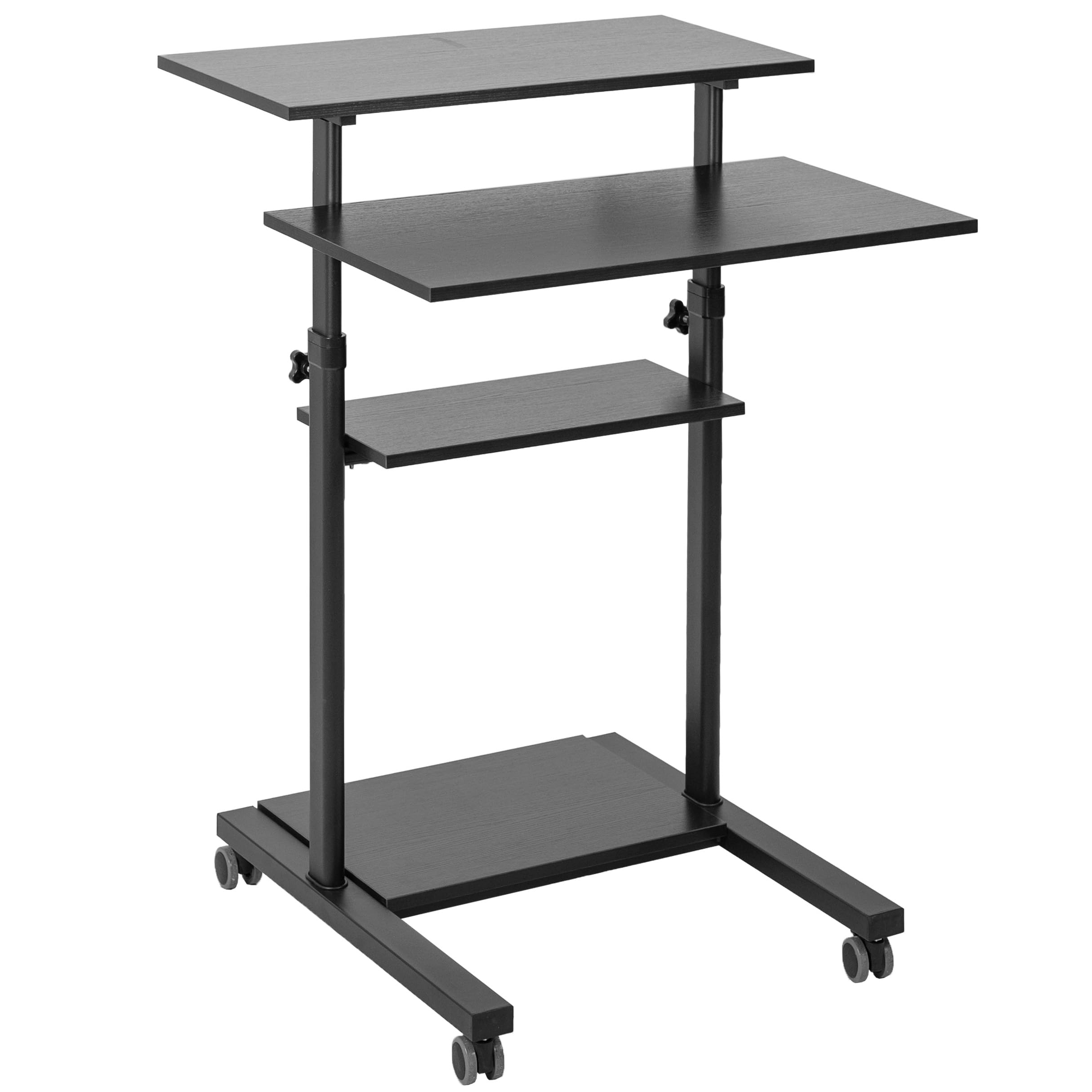
600+ ratings
Read Amazon ReviewsVIVO Mobile 28 in Standing Desk Workstation
Choose the EUREKA if your main goal is to suspend and reach a desktop tower while keeping your existing desk.
Consider the VIVO if you need a separate mobile sit-to-stand workstation with several equipment surfaces; its larger footprint and floor-standing format serve a different workspace need.
- The VIVO is a compact rolling workstation with a height-adjustable desk, keyboard tray, middle shelf, and base shelf.
- It adjusts from 37 to 54.5 inches at 11 locking intervals, uses four casters, and has a total capacity of 132 pounds with a 33-pound limit per shelf.
- The EUREKA mount holds a tower beneath a desk and swivels for rear access, with size adjustments for a single case.
Is EUREKA Tower Stand Worth It?
The EUREKA ERGONOMIC Computer Tower Stand is worth considering for desktop owners who want a tower off the floor and appreciate swivel access to rear connections.
Its adjustable case range, 44-pound capacity, and padded contact bars make it a purposeful under-desk option.
Buy only after checking the case dimensions and weight, desk material, screw placement, and available legroom. If those conditions fit your setup, it offers a straightforward way to reclaim floor space without replacing your desk.
Your review at a glance
500+ ratings
Read Amazon ReviewsEUREKA ERGONOMIC Computer Tower Stand
A useful under-desk option for desktop owners who want adjustable support, swivel access, and more floor space around their workstation.
- Mounts a computer tower beneath a desk to free floor space.
- Adjusts to fit cases from 6.3 to 10.2 inches wide and from 0 to 20.5 inches high.
- Supports a tower weighing up to 44 pounds.
- Swivels 360 degrees for access to rear ports and power cords.