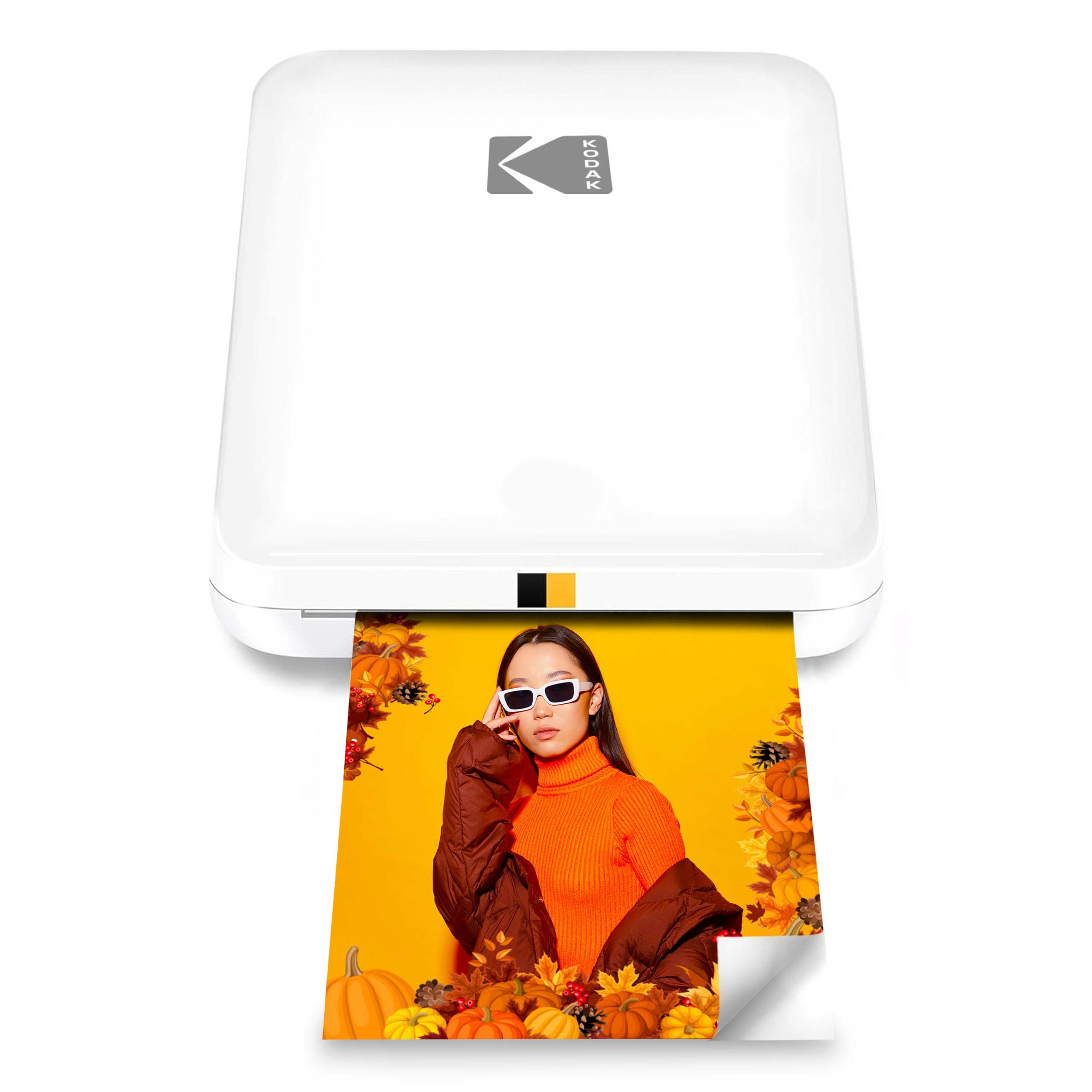
The Kodak Step Slim is a pocket-sized smartphone printer for turning selected phone photos into small, adhesive-backed keepsakes.
In this kodak step slim printer review, we look at how its Zink paper, app editing, and portable design suit travelers and creative projects.
Kodak Step Slim Review Summary
The quick verdict
500+ ratings
Read Amazon ReviewsKODAK Step Slim
A good fit for travelers, scrapbookers, and casual creators who want compact, editable 2 × 3-inch prints from a phone.
- Prints color photos in a compact 2 × 3-inch format on Zink paper.
- Uses Zink Zero Ink technology, so there is no separate ink or toner to install.
- Connects wirelessly to iOS and Android phones through Bluetooth.
- Works with the KODAK STEP Prints app for editing and personalization, including frames and stickers.

Pros
- Small, sticky-backed prints are easy to use in scrapbooks, journals, and casual decorating.
- The Zink paper format removes the need to manage separate ink or toner supplies.
Consider before buying
- The 2 × 3-inch output is intentionally small, so it is not suited to buyers seeking larger photo prints.
- Printing depends on using a compatible phone and the companion app, which adds a setup step compared with printing directly from a camera or computer.
Read the full review summary
The Step Slim focuses on a simple routine: pair a phone, personalize a picture in the KODAK STEP Prints app, and print it on 2 × 3-inch Zink paper.
The paper needs no separate ink or toner, and its sticky backing makes each small print ready for a scrapbook, locker, laptop, or other smooth surface.
Its appeal is convenience and creative immediacy rather than large-format photo output.
It is aimed at people who want to print selected phone images while traveling or working on small craft projects; buyers who expect bigger keepsakes or want a printer for general documents should look for a different format.
The buying factors
Kodak Step Slim Scorecard
Editorial scores reflect listed features and buyer fit; they are not laboratory measurements or customer ratings.
Portability
The slim, lightweight, pocket-sized design is made to travel with a phone.
Phone workflow
Bluetooth pairing and a dedicated app support editing and printing from iOS and Android devices.
Creative options
The app offers frames, stickers, and other ways to personalize images before printing.
Print format
Compact 2 × 3-inch prints work well for keepsakes and crafts, but may feel small for display.
Consumable simplicity
Zink paper avoids separate ink and toner, with color-producing crystals embedded in the paper.
On-the-go convenience
The product is designed for wireless, portable printing, with prints described as taking under a minute.
Key Features and Specifications of Kodak Step Slim
- Prints color photos in a compact 2 × 3-inch format on Zink paper.
- Uses Zink Zero Ink technology, so there is no separate ink or toner to install.
- Connects wirelessly to iOS and Android phones through Bluetooth.
- Works with the KODAK STEP Prints app for editing and personalization, including frames and stickers.
- Uses adhesive-backed paper so prints can be peeled and placed on surfaces or used in craft projects.
- Designed as a lightweight, slim printer for carrying and printing away from a desk.
Pros and Cons of Kodak Step Slim
Pros
- Small, sticky-backed prints are easy to use in scrapbooks, journals, and casual decorating.
- The Zink paper format removes the need to manage separate ink or toner supplies.
- The phone app adds simple personalization tools before printing.
- Its compact design suits travel and spontaneous keepsake making.
Consider before buying
- The 2 × 3-inch output is intentionally small, so it is not suited to buyers seeking larger photo prints.
- Printing depends on using a compatible phone and the companion app, which adds a setup step compared with printing directly from a camera or computer.
- The description does not establish the quantity of paper included or the ongoing paper cost; check the package contents and replacement-paper cost if those affect your budget.
Who Should Buy Kodak Step Slim?
Good fit
Consider the Kodak Step Slim if you want a small printer for phone photos that can become physical, adhesive-backed keepsakes.
Its portable shape and app-based editing are well matched to travel journals, scrapbooks, party favors, and other projects where a compact print is more useful than a large photograph.
It also makes sense for someone who likes to personalize images before printing. Frames and stickers give the phone workflow a creative element, while the Zink format keeps the routine focused on paper rather than separate ink supplies.
Before choosing it, make sure the 2 × 3-inch format suits the way you plan to use the prints, and check the package contents and replacement-paper availability for your needs.
Who should skip it
Skip this format if you need prints large enough for prominent wall display, or if your main goal is printing documents. This model is built around small smartphone photos and creative keepsakes.
It may also be a poor fit if you prefer to avoid phone-based setup and editing. The described workflow relies on a mobile device, Bluetooth, and the KODAK app.
What the Kodak Step Slim Review Shows About Everyday Use
A pocket format for small keepsakes
The defining choice is the 2 × 3-inch print. That size is convenient for adding a snapshot to a journal or decorating a personal item, and the adhesive backing removes a separate gluing step.
It also sets a clear limit: the prints are small, so buyers should picture the finished use before buying.
Zink keeps supplies straightforward
Zink printing embeds the color-forming material in the paper, so the printer does not require separate ink or toner. That simplifies the supply routine, though photo paper remains a consumable.
Buyers who print often should consider the availability and cost of replacement paper as part of ownership.
Editing is part of the printing routine
The KODAK STEP Prints app is more than a connection point: it lets users add frames, stickers, and other custom touches. That makes the printer a natural companion for people who enjoy composing photos for crafts or sharing.
If you want an entirely hands-off print process, the app-based editing path may feel like an extra step.
Portability favors spontaneous printing
A slim, lightweight build is intended to make the printer easy to bring along, while wireless phone connection avoids a computer-centered setup.
The product description says prints can be made in under a minute, which supports quick keepsake use.
Since battery capacity and print count are not specified here, check those details if long outings without access to charging matter to you.
Alternatives to Kodak Step Slim
NFC pairing alternative
20,000+ ratings
Read Amazon ReviewsKODAK Step Instant Smartphone Photo Printer
Choose the Step Slim if the slimmer form is your priority. Consider the standard Step if you value its explicitly described NFC option, stated print count per charge, or included starter paper.
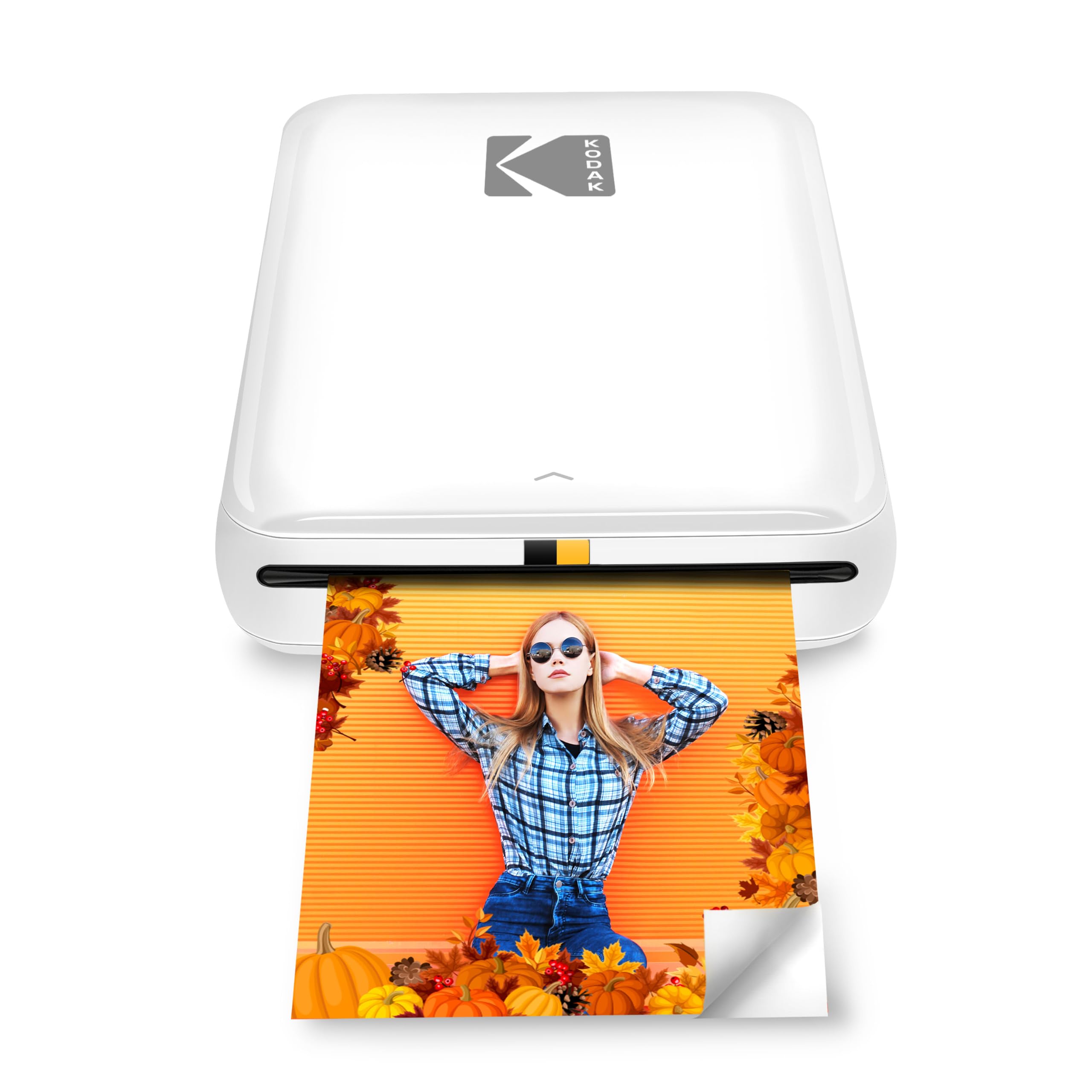
- The standard KODAK Step also prints 2 × 3-inch Zink photos and supports phone connection through Bluetooth or NFC.
- Its description specifies a rechargeable battery with up to 25 prints per charge and includes a starter pack of paper.
- The Step Slim offers a slim pocket-sized design, app editing, Bluetooth connection, and 2 × 3-inch Zink sticky-back photos.
Portable Photo Printers alternative
12,000+ ratings
Read Amazon ReviewsKODAK Mini 2 Retro
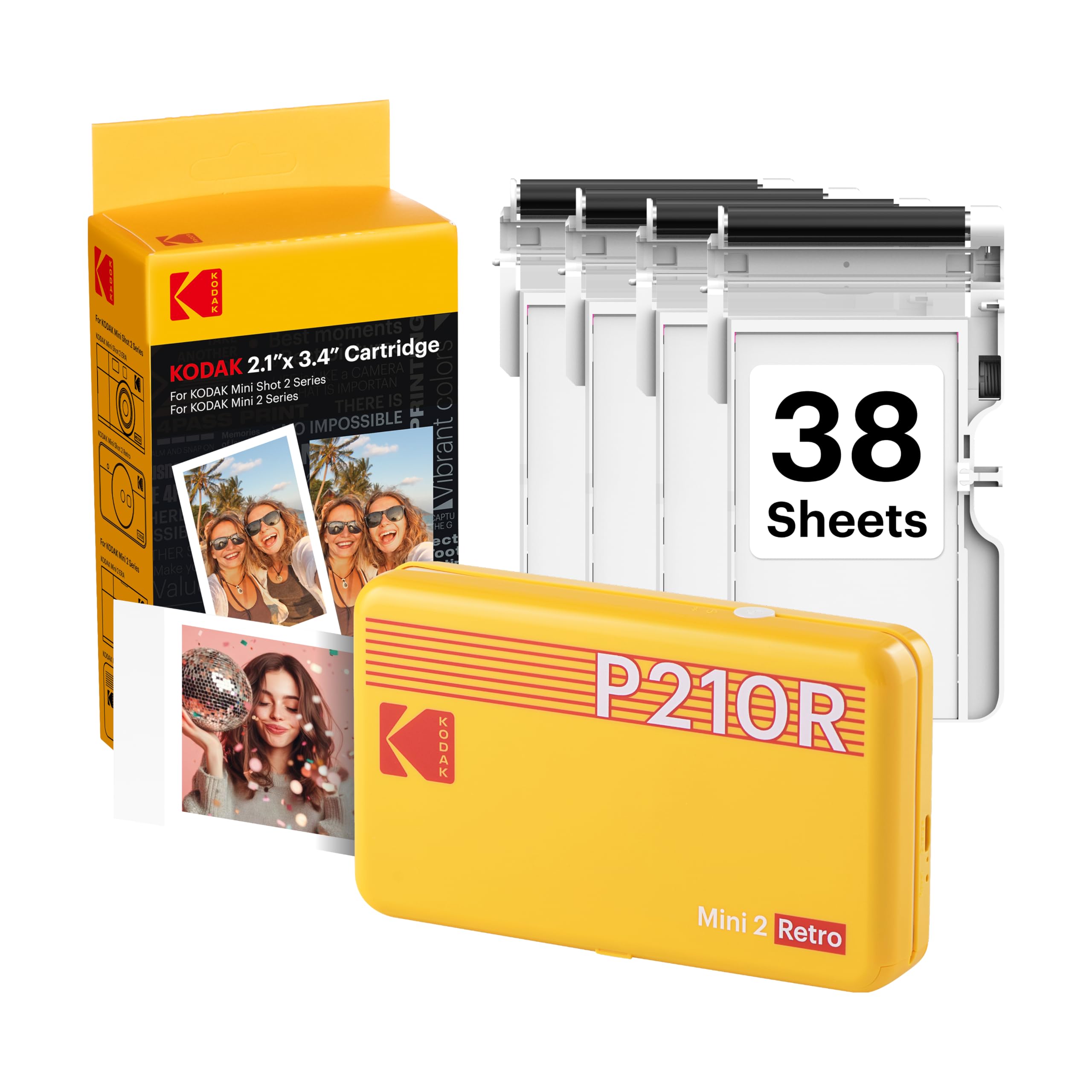
The Step Slim is the simpler match for buyers who want inkless Zink prints with sticky backing. Consider the Mini 2 Retro if you prefer its dye-sublimation format and a bundled paper-and-cartridge supply for getting started.
- The Mini 2 Retro uses 4PASS dye-sublimation printing with a cartridge and paper.
- Its package description includes 38 sheets and four cartridges, and it connects to phones over Bluetooth through the KODAK Photo Printer app.
- The Step Slim uses Zink paper to make small adhesive-backed prints without separate ink or toner.
Is Kodak Step Slim Worth It?
The KODAK Step Slim is worth considering if your goal is to print small phone photos for scrapbooks, journals, decorating, and sharing. Its portable shape, app editing, Bluetooth connection, and Zink paper combine into a convenient creative workflow.
Buy it with clear expectations about the 2 × 3-inch output and ongoing paper needs.
If you want larger prints or need the print-count and included-supply details spelled out before purchase, compare the other formats and package contents carefully.
Your review at a glance
500+ ratings
Read Amazon ReviewsKODAK Step Slim
A good fit for travelers, scrapbookers, and casual creators who want compact, editable 2 × 3-inch prints from a phone.
- Prints color photos in a compact 2 × 3-inch format on Zink paper.
- Uses Zink Zero Ink technology, so there is no separate ink or toner to install.
- Connects wirelessly to iOS and Android phones through Bluetooth.
- Works with the KODAK STEP Prints app for editing and personalization, including frames and stickers.