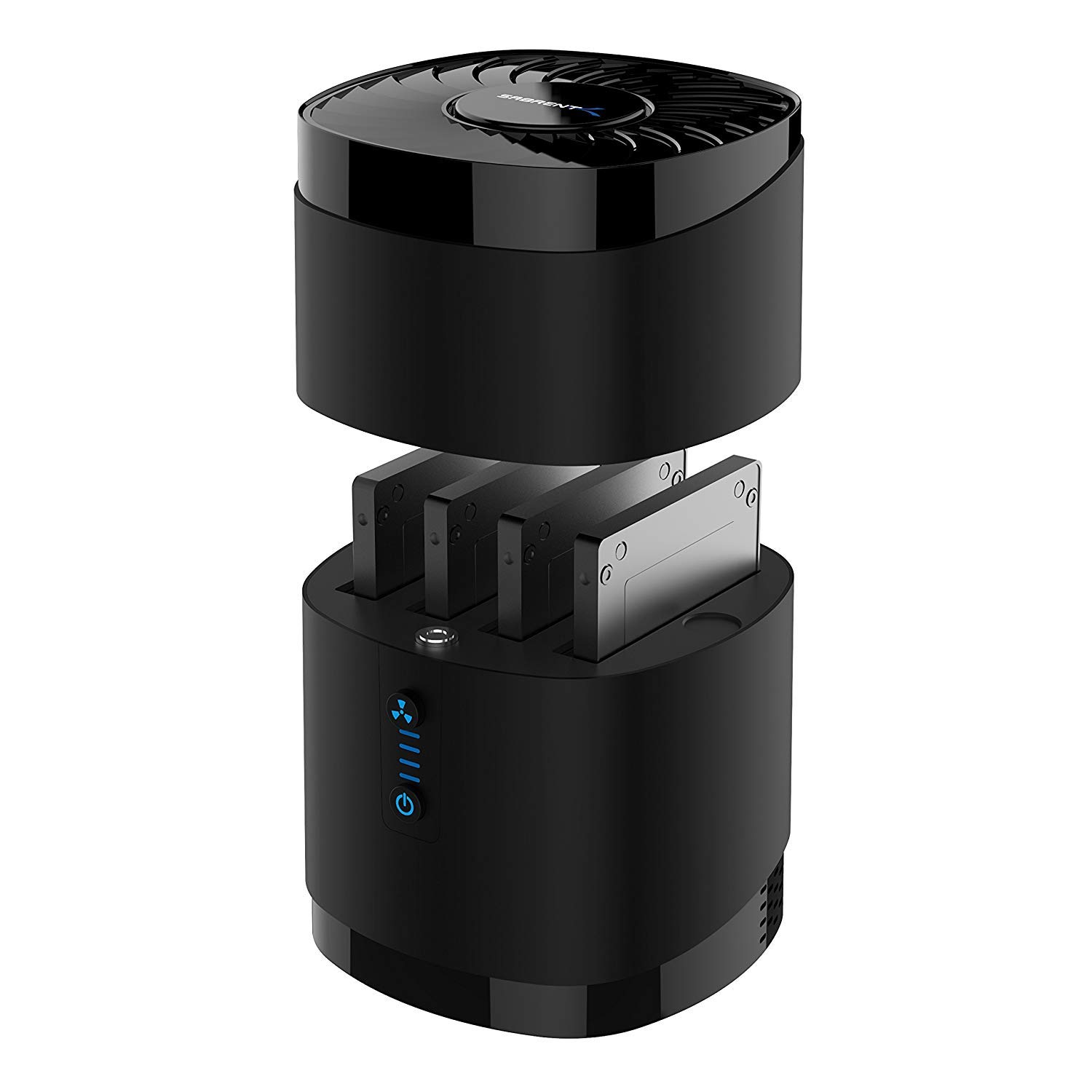
The SABRENT DS-4SSD is a four-bay dock for people who regularly move among 2.5-inch SATA SSDs or hard drives.
This sabrent hdd docking station review looks at its high-capacity, tool-free layout and the tradeoffs of its specific drive-size and interface limits.
SABRENT DS-4SSD Review Summary
The quick verdict
3,000+ ratings
Read Amazon ReviewsSABRENT DS-4SSD
A practical fit for managing several 2.5-inch SATA drives at once, with tool-free access and built-in cooling for an organized desktop workflow.
- Four bays for 2.5-inch SATA SSDs or HDDs, supporting up to 16TB per drive.
- Drive thickness limit of 12.5mm; 15mm drives are not compatible.
- USB 3.0 interface with transfer speeds up to 5Gbps and backward compatibility with USB 2.0 and 1.1 devices.
- Tool-free drive access and a magnetic cover for convenient swapping.

Pros
- Four drive bays keep several compatible drives accessible in a single dock.
- Supports high-capacity 2.5-inch SATA drives, up to 16TB per bay.
Consider before buying
- Limited to 2.5-inch SATA drives up to 12.5mm thick; 15mm drives are incompatible.
- The dock does not support RAID, so buyers seeking a multi-drive RAID setup should choose a different design.
Read the full review summary
Four bays make the DS-4SSD useful when one drive is not enough: it supports up to four 2.5-inch SATA SSDs or HDDs, each up to 16TB and 12.5mm thick.
The magnetic cover and tool-free access are designed to make swapping drives straightforward, while the built-in fan is intended to help keep them cool during operation.
It suits users who handle multiple compatible drives and want them accessible from one USB connection.
The key fit check is the drive itself: the dock does not support 15mm drives or RAID, and its USB 3.0 interface is specified for transfer rates up to 5Gbps.
Windows, macOS, and Linux are supported for standard plug-and-play operation without drivers.
The buying factors
SABRENT DS-4SSD Scorecard
Editorial scores reflect listed features and buyer fit; they are not laboratory measurements or customer ratings.
Four-drive capacity
Supports up to four 2.5-inch SATA drives, making the multi-drive arrangement its clearest advantage.
Drive capacity support
Up to 16TB per bay offers substantial stated headroom for supported drives.
Drive flexibility
The 2.5-inch, 12.5mm maximum and SATA requirements narrow the range of drives that fit.
Swap convenience
Tool-free access and a magnetic cover are useful for frequent drive changes.
Cooling design
A built-in fan is intended to help cool drives, with an optional switch for fan and power control.
Host compatibility
Standard plug-and-play operation is supported across Windows, macOS, and Linux, with USB backward compatibility.
Interface ceiling
USB 3.0 supports up to 5Gbps, which may be a consideration for workflows seeking a faster interface.
Key Features and Specifications of SABRENT DS-4SSD
- Four bays for 2.5-inch SATA SSDs or HDDs, supporting up to 16TB per drive.
- Drive thickness limit of 12.5mm; 15mm drives are not compatible.
- USB 3.0 interface with transfer speeds up to 5Gbps and backward compatibility with USB 2.0 and 1.1 devices.
- Tool-free drive access and a magnetic cover for convenient swapping.
- Built-in fan with an optional on/off switch for noise and power control.
- Designed for continuous 24/7 operation.
- Plug-and-play support for Windows, macOS, and Linux without drivers for standard operation.
Pros and Cons of SABRENT DS-4SSD
Pros
- Four drive bays keep several compatible drives accessible in a single dock.
- Supports high-capacity 2.5-inch SATA drives, up to 16TB per bay.
- Tool-free access and a magnetic cover streamline drive changes.
- A built-in fan and optional switch provide cooling and control over fan operation.
- Works with common desktop operating systems without requiring standard-operation drivers.
Consider before buying
- Limited to 2.5-inch SATA drives up to 12.5mm thick; 15mm drives are incompatible.
- The dock does not support RAID, so buyers seeking a multi-drive RAID setup should choose a different design.
- USB 3.0 is specified at up to 5Gbps, which may not suit buyers prioritizing a higher interface ceiling.
Who Should Buy SABRENT DS-4SSD?
Good fit
Consider the DS-4SSD if your routine involves moving between several 2.5-inch SATA drives and you value having four bays ready in one place.
The magnetic cover and tool-free access are practical design choices for repeated swaps, and the per-bay capacity support leaves room for large drives within the compatibility limits.
It is also a reasonable fit if a fan-equipped desktop dock and standard plug-and-play use across Windows, macOS, or Linux match your setup.
Before choosing it, check each drive’s form factor and thickness, and make sure a non-RAID enclosure with USB 3.0 meets your workflow.
Who should skip it
Look elsewhere if you need support for 15mm drives, a RAID configuration, or drive formats beyond 2.5-inch SATA. Those needs fall outside the product’s stated compatibility.
If your workflow depends on an interface faster than USB 3.0’s stated maximum of 5Gbps, compare docks built around a higher-speed connection before deciding.
How the SABRENT DS-4SSD Fits a Multi-Drive Setup
Four bays for a drive-changing routine
The four-bay layout is most useful when several compatible drives need to be available without repeatedly connecting separate enclosures.
It can simplify access to a group of 2.5-inch SATA drives, although it does not turn those drives into a RAID array.
Capacity depends on fit as well as storage
The stated support of up to 16TB per bay is generous for a 2.5-inch dock, but physical fit still matters.
Check that each drive is no thicker than 12.5mm and uses the supported SATA form factor before planning a set of drives around the dock.
Tool-free access and cooling
The magnetic cover and tool-free drive access are aimed at quick swaps, making the dock more convenient for users who rotate drives.
The built-in fan is intended to keep drives cool, and its optional switch gives the user control over fan operation when noise or power use is a concern.
USB 3.0 and everyday setup
The USB 3.0 connection is rated for up to 5Gbps, with USB 2.0 and 1.1 backward compatibility.
Windows, macOS, and Linux support without drivers for standard operation helps keep setup simple, but the specified interface ceiling should be weighed against the demands of a faster workflow.
Alternatives to SABRENT DS-4SSD
Hard Drive Docking Stations alternative
17,000+ ratings
Read Amazon ReviewsSABRENT EC-HD2B Dual-Bay SATA Dock and Cloner
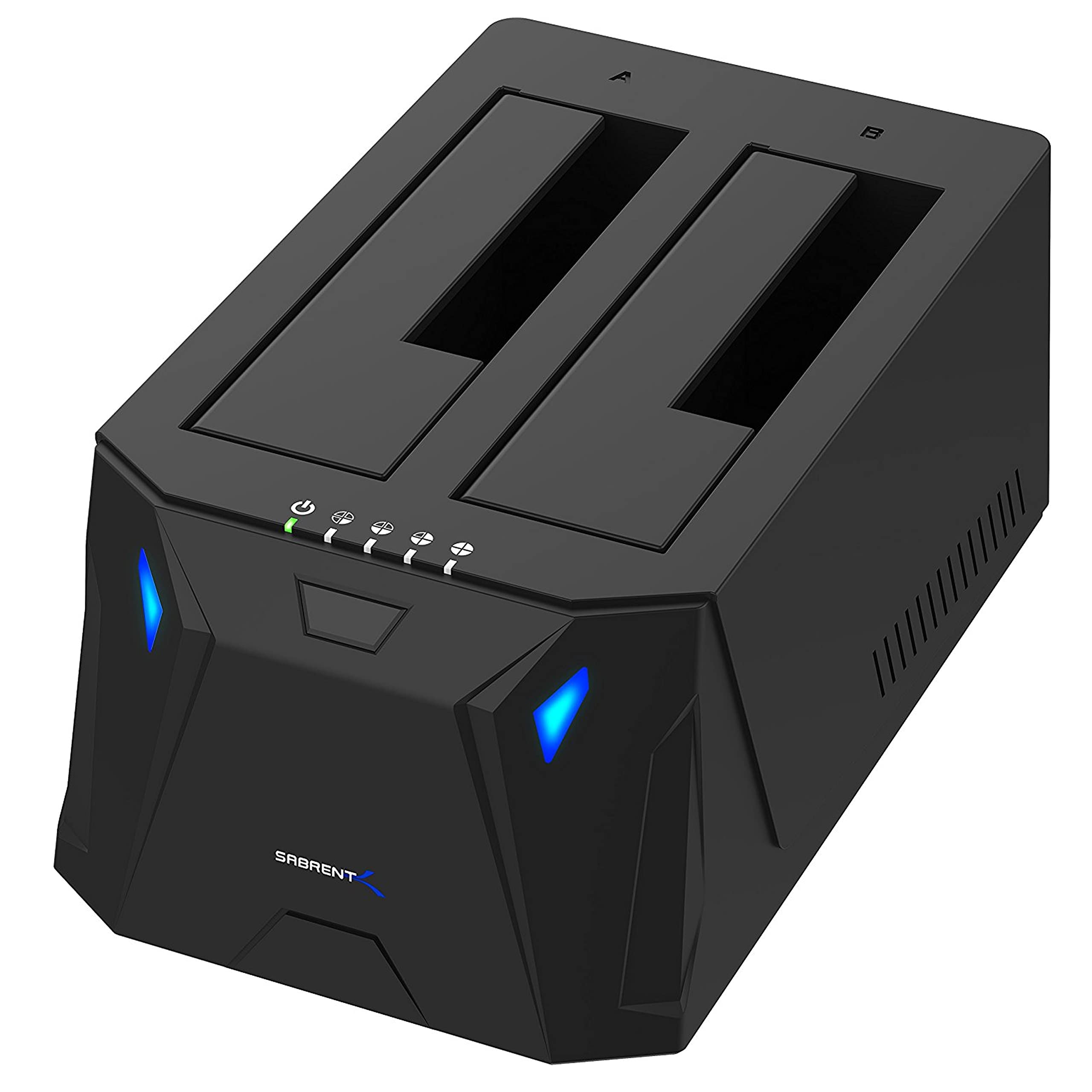
Choose the DS-4SSD when four 2.5-inch bays and higher stated per-drive capacity matter most. The EC-HD2B is a better fit if two bays, 3.5-inch drive support, and offline cloning are more useful to your routine.
- The EC-HD2B is a dual-bay dock for standard 2.5-inch and 3.5-inch SATA drives, supports drives up to 10TB, and includes offline cloning.
- The DS-4SSD holds up to four 2.5-inch SATA drives, supports up to 16TB per bay, and does not support RAID.
Hard Drive Docking Stations alternative
1,000+ ratings
Read Amazon ReviewsSABRENT EC-CH2B Dual-Bay USB-C SATA Dock and Cloner
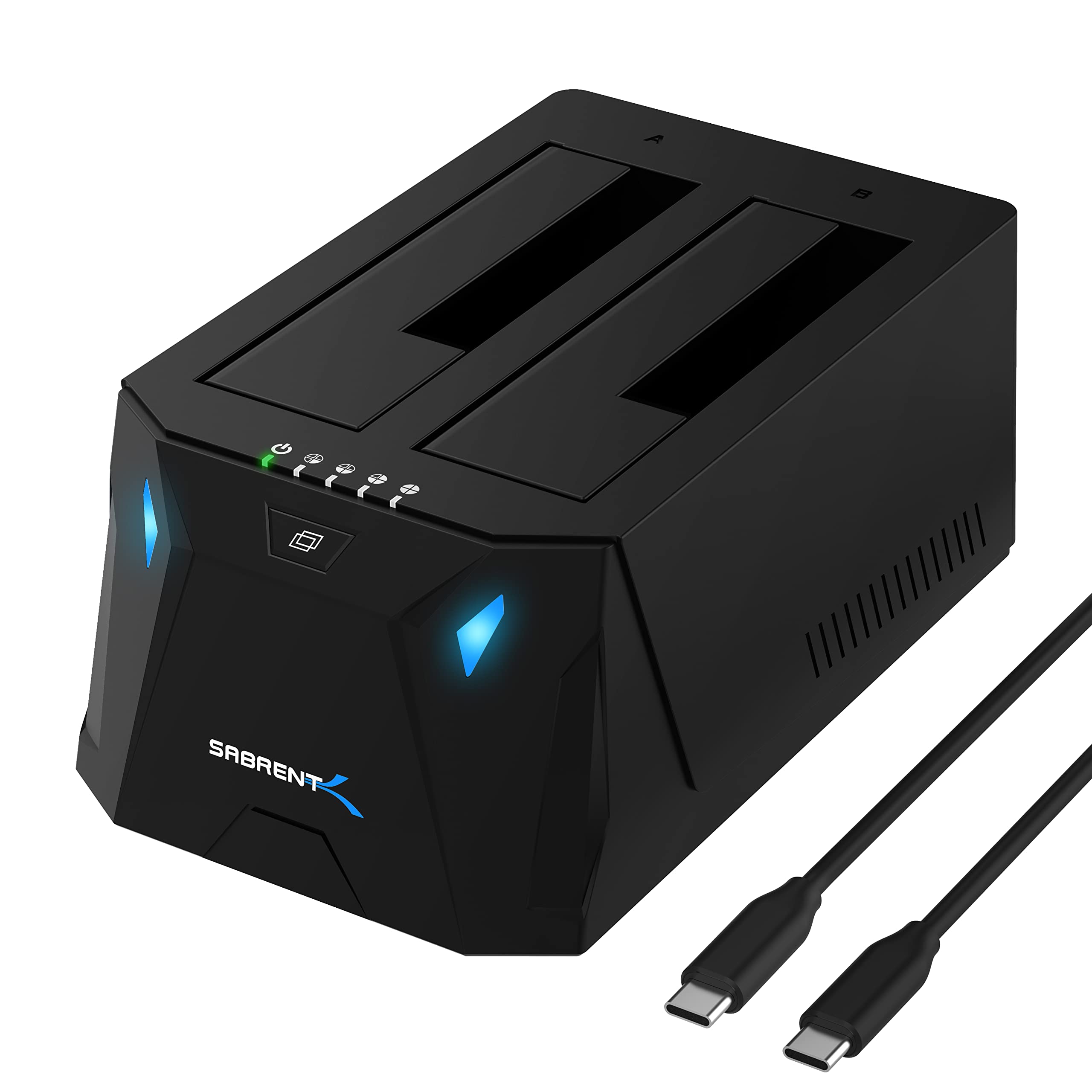
The DS-4SSD better suits someone who wants four 2.5-inch drives connected together. Consider the EC-CH2B if two mixed-size SATA bays, USB-C, and offline cloning better match the setup.
- The EC-CH2B is a USB-C dual-bay dock for 2.5-inch and 3.5-inch SATA drives, supports drives over 20TB, and includes offline cloning.
- The DS-4SSD is designed for up to four 2.5-inch SATA drives and connects over USB 3.0 at up to 5Gbps.
Is SABRENT DS-4SSD Worth It?
The SABRENT DS-4SSD is worth considering for a multi-drive desktop workflow built around 2.5-inch SATA storage.
Four bays, tool-free access, and support for up to 16TB per bay give it a clear role for users who rotate or organize several compatible drives.
Check the 12.5mm thickness limit and remember that RAID is unsupported. If those constraints fit your drives and USB 3.0’s up-to-5Gbps interface suits your needs, this dock offers a practical way to keep multiple drives close at hand.
Your review at a glance
3,000+ ratings
Read Amazon ReviewsSABRENT DS-4SSD
A practical fit for managing several 2.5-inch SATA drives at once, with tool-free access and built-in cooling for an organized desktop workflow.
- Four bays for 2.5-inch SATA SSDs or HDDs, supporting up to 16TB per drive.
- Drive thickness limit of 12.5mm; 15mm drives are not compatible.
- USB 3.0 interface with transfer speeds up to 5Gbps and backward compatibility with USB 2.0 and 1.1 devices.
- Tool-free drive access and a magnetic cover for convenient swapping.