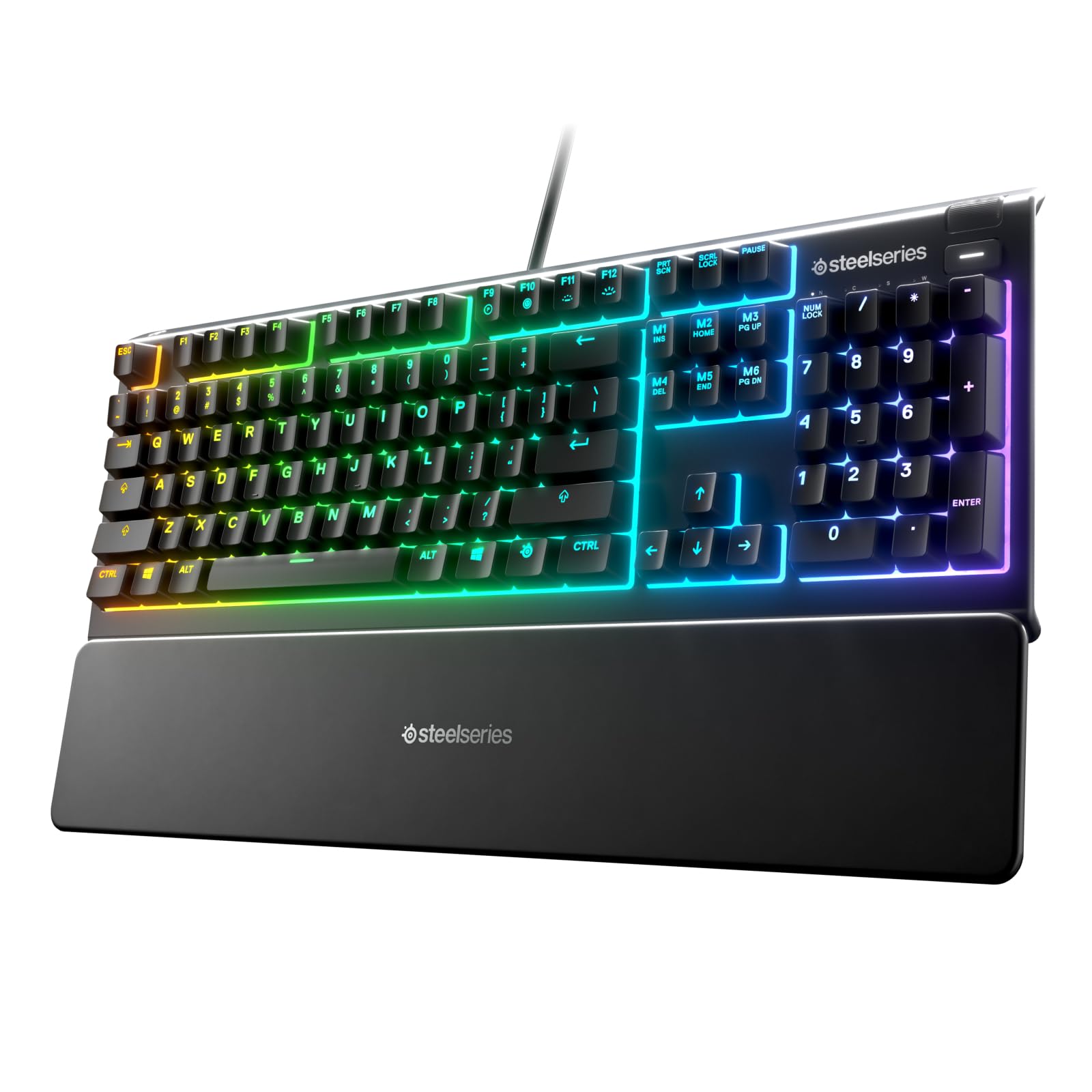
The SteelSeries Apex 3 pairs whisper-quiet gaming switches with 10-zone RGB lighting, a magnetic wrist rest, and dedicated multimedia controls.
This steelseries apex 3 keyboard review looks at who may value that comfort-focused feature mix and where its design may not suit every setup.
Apex 3 Keyboard Review Summary
The quick verdict
8,000+ ratings
Read Amazon ReviewsSteelSeries Apex 3
A sensible fit for gamers and everyday typists who want quiet keys, customizable lighting, a wrist rest, and convenient media controls.
- Whisper-quiet gaming switches are designed for nearly silent use and described for 20 million low-friction keypresses.
- Ten-zone RGB illumination supports color schemes and reactive lighting effects.
- IP32 water resistance is intended to help prevent accidental damage from liquid spills.
- A premium magnetic wrist rest is included and described as providing full palm support and comfort.

Pros
- Quiet switch design is a strong fit for gaming or typing in shared spaces.
- The magnetic wrist rest adds a comfort-oriented option without requiring a separate accessory.
Consider before buying
- The included wrist rest and full keyboard layout may take more desk space than a compact setup allows; check your available keyboard area before buying.
- The product description emphasizes quiet switches but does not specify their tactile feel, so buyers with a preferred key response should compare that detail before choosing.
Read the full review summary
The Apex 3 focuses on practical comfort and convenience rather than a long list of advanced controls: its described features include quiet switches, customizable lighting, IP32 water resistance, a magnetic wrist rest, and dedicated media controls.
That combination makes it worth considering for shared spaces or desk setups where quieter typing and easy volume adjustments matter.
It may suit players who want a full-size gaming keyboard experience across several listed platforms, as well as people who use one keyboard for gaming and everyday typing.
Before choosing it, consider whether the magnetic wrist rest and multimedia controls fit your desk habits, and whether the keyboard's switch design aligns with how you prefer keys to feel.
The buying factors
Apex 3 Keyboard Scorecard
Editorial scores reflect listed features and buyer fit; they are not laboratory measurements or customer ratings.
Quiet-use appeal
The switches are described as whisper quiet and intended for nearly silent use, which is a useful design choice for shared rooms.
Comfort features
A magnetic wrist rest is included and described as providing full palm support; comfort still depends on each person's posture and fit.
Lighting flexibility
Ten-zone RGB illumination with color schemes and reactive effects offers customization across keyboard zones.
Everyday controls
Dedicated multimedia controls give users a direct way to adjust volume and settings.
Spill-conscious design
IP32 water resistance is described as protection against accidental liquid spills, a helpful precaution for a desk keyboard.
Platform range
The product data lists Windows, Mac OS X, Xbox Series S and X, PS4, and PS5 compatibility.
Key Features and Specifications of Apex 3 Keyboard
- Whisper-quiet gaming switches are designed for nearly silent use and described for 20 million low-friction keypresses.
- Ten-zone RGB illumination supports color schemes and reactive lighting effects.
- IP32 water resistance is intended to help prevent accidental damage from liquid spills.
- A premium magnetic wrist rest is included and described as providing full palm support and comfort.
- Dedicated multimedia controls let users adjust volume and settings on the fly.
- Compatibility is listed for Windows, Mac OS X, Xbox Series S, Xbox Series X, PS4, and PS5.
Pros and Cons of Apex 3 Keyboard
Pros
- Quiet switch design is a strong fit for gaming or typing in shared spaces.
- The magnetic wrist rest adds a comfort-oriented option without requiring a separate accessory.
- Ten-zone lighting provides more granular customization than a single uniform lighting effect.
- Dedicated multimedia controls make common volume and settings adjustments convenient.
- IP32 water resistance offers a degree of spill protection for everyday desk use.
Consider before buying
- The included wrist rest and full keyboard layout may take more desk space than a compact setup allows; check your available keyboard area before buying.
- The product description emphasizes quiet switches but does not specify their tactile feel, so buyers with a preferred key response should compare that detail before choosing.
- IP32 water resistance is a precaution against accidental spills, not a reason to expose the keyboard to liquids.
Who Should Buy Apex 3 Keyboard?
Good fit
Consider the Apex 3 if you want a gaming keyboard whose stated strengths center on quiet use, comfort, and accessible controls.
The wrist rest may be especially appealing if you prefer a palm support option bundled with the keyboard, while the multimedia controls can suit a desk where volume changes are frequent.
Its 10-zone RGB system also gives lighting fans room to set up color schemes and reactive effects.
If you use one keyboard across a PC and console setup, check that your specific device and connection arrangement matches the listed platform compatibility before purchase.
Who should skip it
Look elsewhere if you need a compact keyboard above all else or have limited room for a wrist rest.
The product description does not establish a smaller layout, so measure your desk and compare the keyboard footprint you need.
It may also be a poor match if you require a particular switch feel or advanced competitive features beyond the described quiet switches and multimedia controls. Confirm the response characteristics you prefer before settling on this model.
How the Apex 3 Keyboard Fits a Gaming Desk
Quiet switches for shared spaces
The switch design is described as whisper quiet, with nearly silent use as its aim.
That makes the keyboard a plausible choice for a bedroom, shared office, or late-night setup where key noise is a consideration, though individual sound perception and typing style can vary.
A wrist rest that stays attached magnetically
The included wrist rest is magnetic and described as offering full palm support.
This gives buyers an integrated comfort option, but the useful fit depends on desk height, hand position, and whether you like a rest at all; check your typing posture rather than assuming it will suit everyone.
Lighting and on-keyboard convenience
Ten-zone RGB illumination supports color schemes and reactive effects, allowing different parts of the board to be customized. Dedicated multimedia controls add a separate convenience benefit, letting users adjust volume and settings without relying solely on software controls.
Spill resistance and platform planning
The IP32 rating is presented as protection against accidental liquid spills, which can add reassurance around drinks at a desk. It remains a limited design feature, so sensible placement and keeping liquids away from electronics still matter.
The listed compatibility spans Windows, Mac OS X, current Xbox Series consoles, PS4, and PS5; verify that your intended device setup is covered.
Alternatives to Apex 3 Keyboard
Computer Keyboards alternative
2,000+ ratings
Read Amazon ReviewsSteelSeries Apex 3 TKL
Choose the Apex 3 if the magnetic wrist rest, dedicated multimedia controls, and 10-zone lighting are priorities.
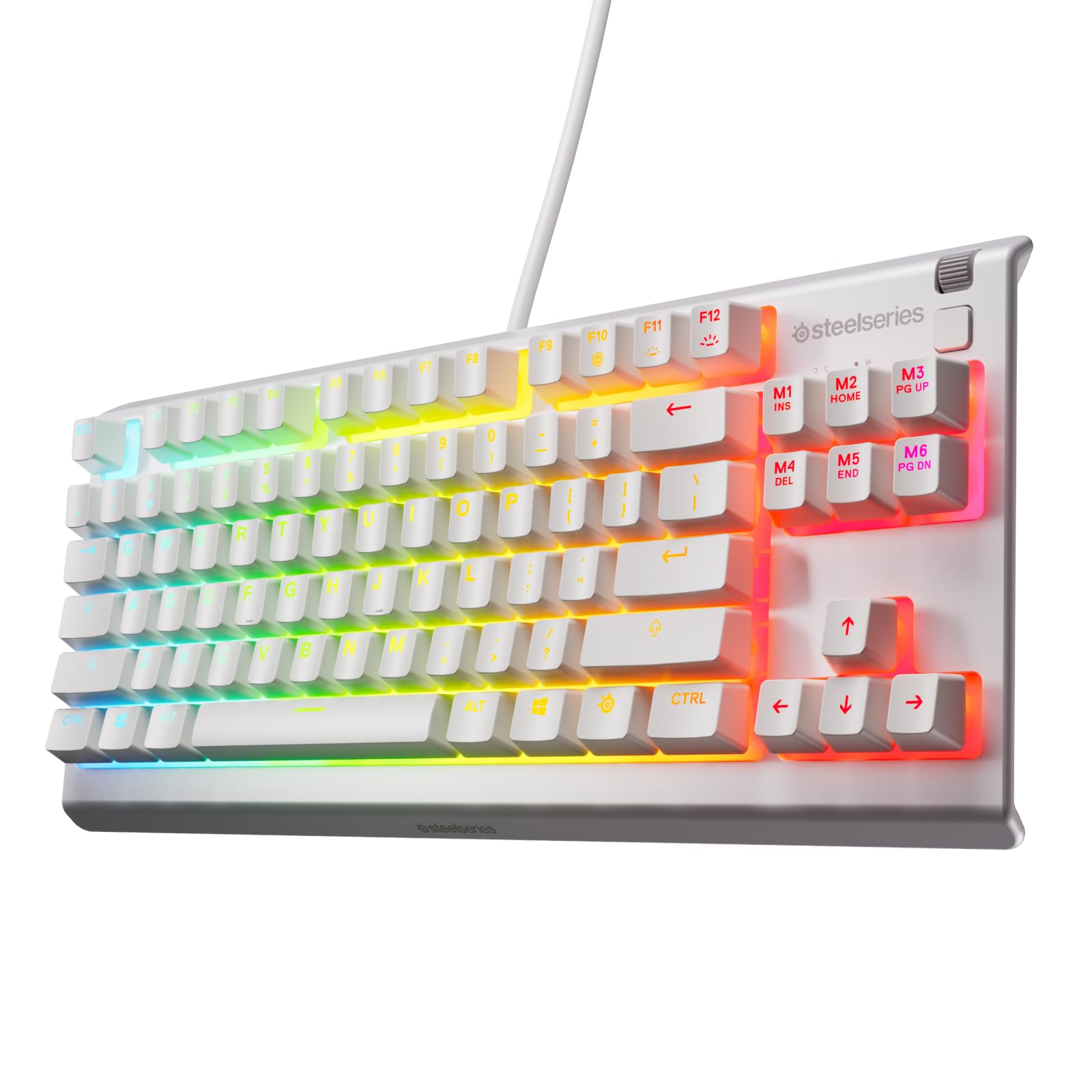
The TKL is the more relevant fit when a compact layout and anti-ghosting keys matter more; compare the layouts against your desk space and preferred controls.
- The Apex 3 TKL uses a tenkeyless compact form factor, includes anti-ghosting keys, and has 8-zone RGB illumination.
- Its description also highlights water and dust resistance and whisper-quiet switches.
- The Apex 3 combines quiet switches, 10-zone lighting, a magnetic wrist rest, and dedicated multimedia controls in a comfort-oriented design.
Computer Keyboards alternative
500+ ratings
Read Amazon ReviewsSteelSeries Apex Pro TKL Gen 3
The Apex 3 better matches buyers who value quiet use and a bundled magnetic wrist rest.
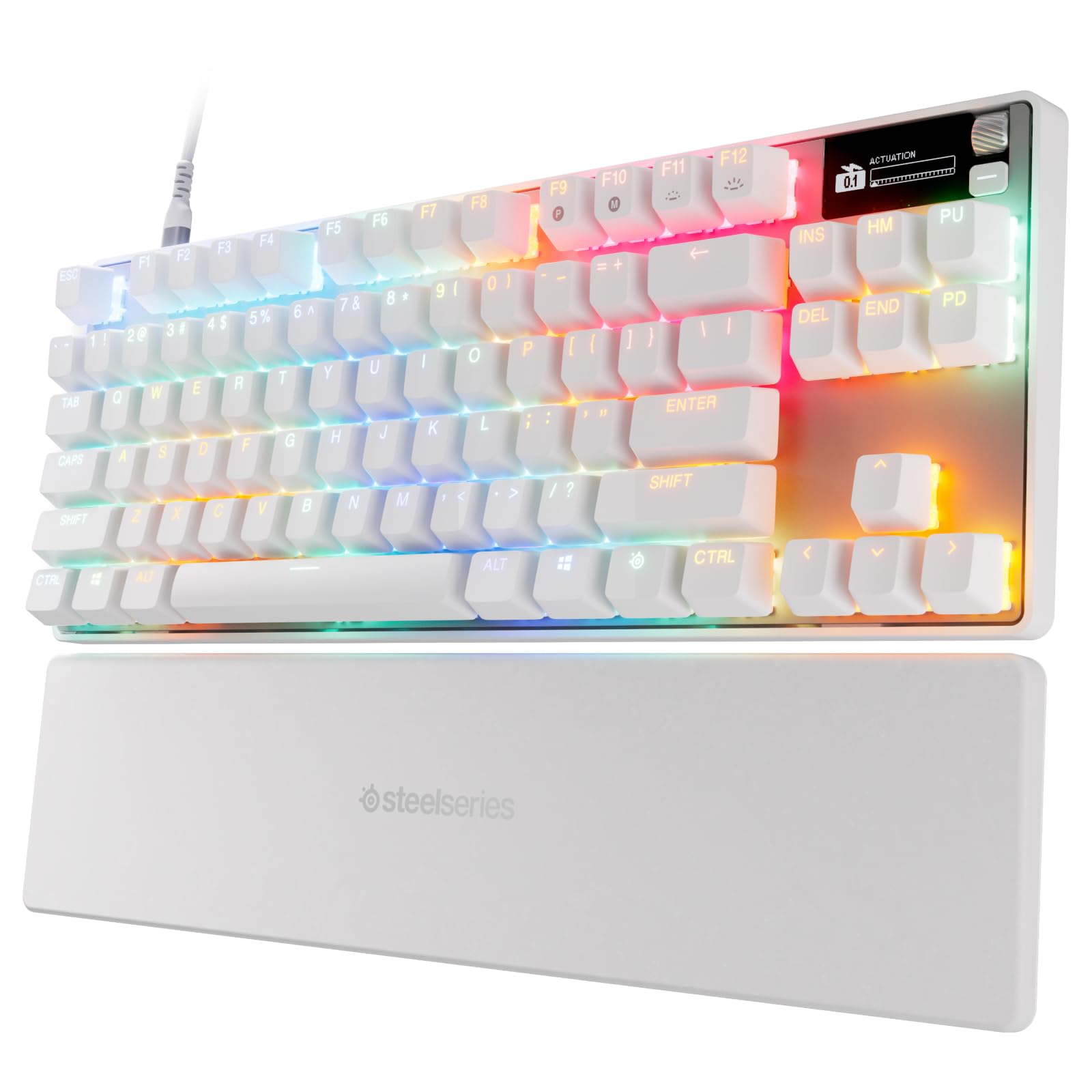
Consider the Apex Pro TKL Gen 3 if adjustable actuation, analog magnetic switches, and its listed competitive features are more important to your gaming preferences.
- The Apex Pro TKL Gen 3 is described with OmniPoint 3.0 analog magnetic switches, adjustable actuation from 0.1 mm to 4.0 mm, an OLED display, RGB, PBT keycaps, and USB-C.
- Its feature set also includes Rapid Trigger, Rapid Tap, Protection Mode, and game-linked presets.
- The Apex 3 is centered on quiet switches, a magnetic wrist rest, 10-zone RGB lighting, and dedicated multimedia controls.
Is Apex 3 Keyboard Worth It?
The SteelSeries Apex 3 is worth considering if you want a quiet gaming keyboard with a magnetic wrist rest, 10-zone RGB lighting, multimedia controls, and some spill resistance.
Its strengths are practical comfort and everyday convenience, especially for a shared-space setup.
Check desk space, preferred switch feel, and device compatibility before buying.
If those details line up with your needs, the Apex 3 offers a straightforward feature mix; prioritize a different layout or switch feature set if your setup calls for something more specific.
Your review at a glance
8,000+ ratings
Read Amazon ReviewsSteelSeries Apex 3
A sensible fit for gamers and everyday typists who want quiet keys, customizable lighting, a wrist rest, and convenient media controls.
- Whisper-quiet gaming switches are designed for nearly silent use and described for 20 million low-friction keypresses.
- Ten-zone RGB illumination supports color schemes and reactive lighting effects.
- IP32 water resistance is intended to help prevent accidental damage from liquid spills.
- A premium magnetic wrist rest is included and described as providing full palm support and comfort.